Using AI to Develop a User Interface for the Co-STORM AI Research Algorithm

TL;DR
AI is now a big part of software development because of tools like GitHub Copilot offering auto-complete features for writing code. More recently, this has extended beyond modifying existing code and creating short snippets, towards generating whole applications from scratch. In this article, we explore Cursor (opens in a new tab) for AI-powered code development and use it to generate a new open-source user interface for the Stanford Co-STORM (opens in a new tab) AI Research algorithm. We show how it’s now possible to develop code conversationally for rapid prototypes using AI in a fraction of the time of traditional methods — the new Co-STORM user interface app for this article was created in under an hour— and present some suggestions on how to get the best results with these new workflows.
Table of Contents
Introduction
· Using AI for Software Development
· Tools
· Costs
The task
· The Stanford Co-STORM Collaborative AI Research Algorithm
· Setup
· Starting With a Working Code Example
Conversational coding with AI
· Building a New User Interface Application using AI
· Refinement
· Tidying up
· Security Review
· AI-Powered Software Generation — Tips and Tricks
· References
· Acknowledgments
Using AI for Software Development
Though there is a lot of hype around GenAI, for good or bad, one area where it is being used extensively is as a tool for developing software. We are seeing a real shift in how work is done.
[A 2023 McKinsey study](https://www.mckinsey.com/capabilities/mckinsey-digital/our-insights/unleashing-developer-productivity-with-generative-ai\ (opens in a new tab)) reported that generative AI tools can make common developer tasks dramatically faster. In a controlled lab setting, documenting code was done in half the time, writing new code in roughly half the time, and refactoring code in about two-thirds the time with AI assistance
Controlled experiments (opens in a new tab) with software developers found that those using an AI code assistant (GitHub Copilot) completed a coding task 55.8% faster than those without AI
IBM researchers examined their in-house AI coding assistant (opens in a new tab) (Watsonx Code Assistant) via surveys (669 developers) and usability tests. They found the tool often provided a net productivity increase, though not all users benefited equally. This highlights that effectiveness can depend on the developer and context.
There are many other studies out there that highlight the fact that the momentum has been building over the last few years.
Tools
GitHub Copilot (opens in a new tab) is great for routine tasks like generating documentation for functions and unit tests, finding information about infrastructure configuration, and creating small snippets of code. It’s not perfect, of course, and one has to pay close attention to generated code, but it’s becoming increasingly difficult to find developers and data scientists who are not using tools like this regularly.
As good as Copilot is as a coding assistant, it won’t generate a brand-new software application. You can’t just ask it to create an app; you’d have to ask it to create functions individually and link everything together yourself.
Reasoning models with long-context windows, such as Open AI’s o1 (opens in a new tab) can do the job well. This has tended to require pasting all code into a prompt and then manually pasting it back into individual files. Though the process is much faster than writing code from scratch, it becomes tiresome.
A great solution for this type of task is Cursor (opens in a new tab).
Cursor is an AI code editor integrated with the popular Visual Studio Code (opens in a new tab) Integrated Development Environment (IDE) application. It uses AI in conjunction with an integrated search engine and is able to generate a new application based on chat inputs. The IDE has great workflow features, such as approvals and staging for AI suggestions, and a well-thought-out and intuitive user interface.
Costs
Cursor offers some free credits, sufficient for this tutorial, but to use it longer-term does require a subscription.
Cursor $20/month
- Unlimited completions
- 500 fast premium requests per month
- Unlimited slow premium requests
Whether this is worth the cost depends on how much time you save using these AI tools. If it takes you a few hours versus a few days to create a new prototype, then it may make sense.
There are other AI code development tools, which I hope to cover in future articles. This list isn’t exhaustive, but here are some examples:
- Codeium (opens in a new tab) — Free AI code completion and chat for VS Code, JetBrains, and more.
- Tabnine (opens in a new tab) — AI-powered autocompletions for multiple IDEs, optimized for teams.
- Amazon CodeWhisperer (opens in a new tab) — AI-assisted code generation, great for AWS-based projects.
- JetBrains AI Assistant (opens in a new tab) — AI features integrated into JetBrains IDEs (PyCharm, WebStorm, etc.).
The Stanford Co-STORM Collaborative AI Research Algorithm
To illustrate an AI-powered workflow for creating our new application, we will develop a new user interface for the Stanford Co-STORM collaborative AI research algorithm (opens in a new tab). Co-STORM allows a (human) user to enter a research topic, which is then used to generate a team of AI experts that start a research process where they chat with each other and the human for greater topic coverage. After carrying out searches and synthesizing those results, the final output is an article on the topic with rich citations.
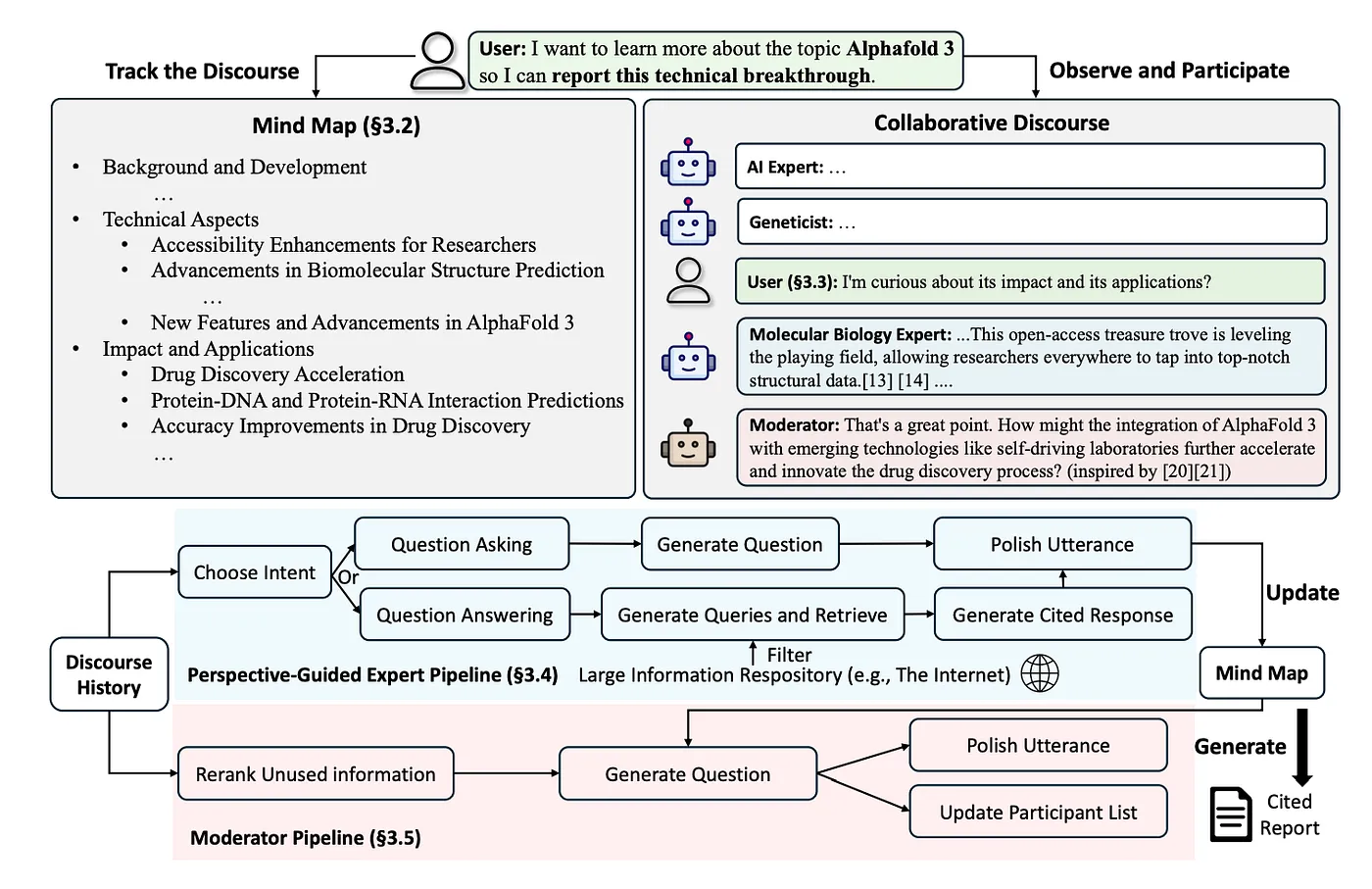
We covered its predecessor, STORM, in a previous blog post, but Co-STORM is an interesting advance in that it allows the human to be part of the research group alongside AI agents. It also differs a little from current deep research tools offered by Open AI (opens in a new tab) and Google (opens in a new tab) in that we have control over the AI team of experts, and there is a stronger collaborative approach.
The research paper maintains that Co-STORM outperforms baseline methods for knowledge retrieval and synthesis on both discourse trace and report quality. In a further human evaluation, 70% of participants prefer Co-STORM over a search engine, and 78% favor it over a RAG chatbot.
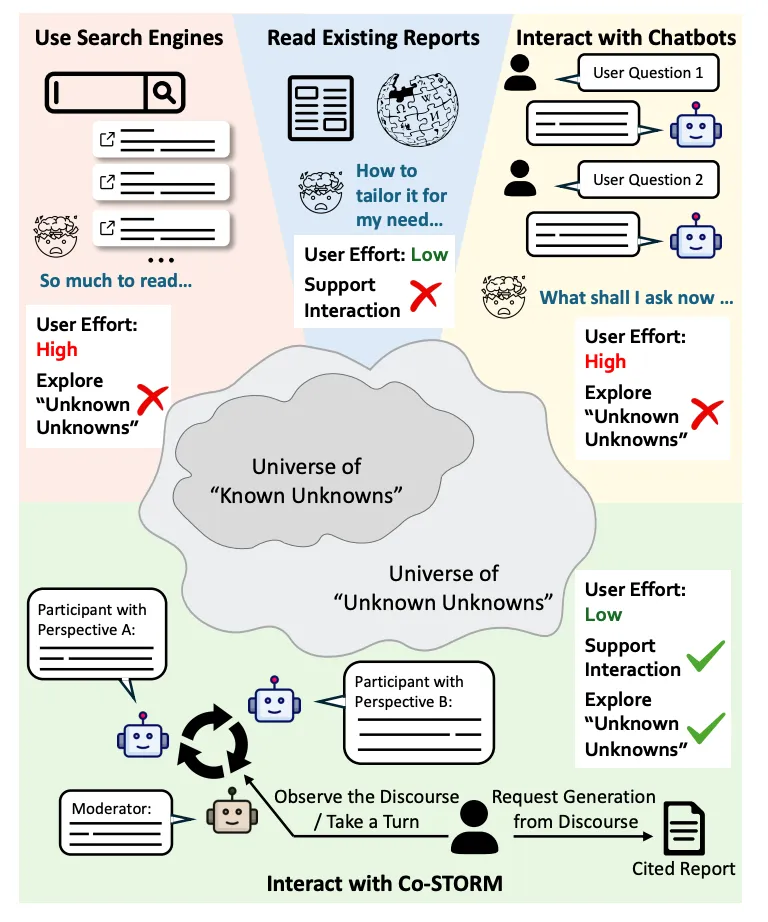
Another advantage is that being open source, the algorithm can be run with a range of LLM providers and is more configurable than commercial AI deep research offerings at this time.
Though a user interface exists for STORM, there isn’t one for Co-STORM. So let’s start building one!
Setup
To follow through the steps in this article, you will need to set up as follows …
- Go to Cursor (opens in a new tab) and register for an account if you don’t already have one. set yourself up with a free trial or subscribe to the $20 monthly plan
- Download and install Cursor (opens in a new tab). We used 0.46.11 for this article
- Register for a free https://serper.dev/ (opens in a new tab) account and make note of the API key
- Check out the repo for this article: costorm-ui (opens in a new tab)
- Copy .env.example to .env and set SERPER_API_KEY to the value from step 3 above, and also yourOPENAI_API_KEY
- Open Cursor and log in
- Then File > Open Folder to choose the checked-out repo folder from step 4
- Select Terminal > New and set up the environment (this assumes you have miniconda (opens in a new tab) installed:
conda create -n storm python=3.11
conda activate storm
pip install -r requirements.txt
Starting With a Working Code Example
Before developing our new user interface application, it’s best to have a fully working example script for the AI to work from.
The demo script we will use for running Co-STORM, can be found in the Co-STORM repo here (opens in a new tab).
After fixing a small typo bug, it can be run as follows …
python run_costorm_gpt.py --output-dir ./results --enable_log_print --retriever serperNote: You don’t need to run this script for this article, but if you want to try, see the article repo README (opens in a new tab) for configuration instructions.
Entering the topic, “Humanitarian response place name disambiguation” the algorithm generates a set of experts and research using the Serper (opens in a new tab) search engine …
Topic: humanitarian response place name disambiguation
Warm start update: Start getting familiar with the topic by chatting with multiple LLM experts (Step 1 / 4)
Warm start update: Finish browsing https://www.acsu.buffalo.edu/~yhu42/papers/ekaw16.pdf
Finish browsing https://dl.acm.org/doi/10.1145/3582515.3609515
Finish browsing https://arxiv.org/pdf/2309.02914
Finish browsing https://mapaction.org/wp-content/uploads/2016/12/mapaction_field_guide_to_humanitarian_mapping.pdf
Finish browsing https://www.sciencedirect.com/science/article/pii/S2666378320300052
Finish browsing https://www.researchgate.net/figure/Summary-of-the-discussed-studies-on-extracting-place-names-and-their-spatial-footprints_tbl1_327596463
Warm start update: Finish browsing https://mapaction.org/wp-content/uploads/2016/12/mapaction_field_guide_to_humanitarian_mapping.pdf
Finish browsing https://www.sciencedirect.com/science/article/pii/S2666378320300052
Finish browsing https://www.researchgate.net/figure/Summary-of-the-discussed-studies-on-extracting-place-names-and-their-spatial-footprints_tbl1_327596463
Finish browsing https://mapaction.org/accelerating-humanitarian-response-inside-mapactions-automated-data-pipeline/
Finish browsing https://heigit.org/geoinformation-for-humanitarian-aid/

... etc

Warm start update: Organizing collected information (Step 2 / 4)
Warm start update: Inserting collected information into knowledge base (Step 3 / 4)
13:53:31 - LiteLLM:INFO: utils.py:974 - Wrapper: Completed Call, calling success_handler
LiteLLM : INFO     : Wrapper: Completed Call, calling success_handler
13:53:31 - LiteLLM:INFO: utils.py:974 - Wrapper: Completed Call, calling success_handler

... etc

13:53:36 - LiteLLM:INFO: utils.py:974 - Wrapper: Completed Call, calling success_handler
LiteLLM : INFO     : Wrapper: Completed Call, calling success_handler
13:53:37 - LiteLLM:INFO: utils.py:974 - Wrapper: Completed Call, calling success_handler
LiteLLM : INFO     : Wrapper: Completed Call, calling success_handler
Warm start update: Synthesizing background information discussion utterances (Step 4 / 4)
Start planning next expert; inspect mind map; inspect system state.
 Start inserting information into mind map.
Finish inserting information into mind map.
**Moderator**: Given the importance of geospatial data in humanitarian
efforts, how can we leverage historical geospatial data and event
representations to improve the accuracy of place name disambiguation?
Could this integration offer deeper insights and more precise
localization in response scenarios? [1][2]

Your utterance:
This human can respond and help drive the research, for example …
A blockchain (e.g., Ethereum or Hyperledger Fabric) can host an
authoritative, consensus-based registry of geospatial identifiers,
creating an immutable ledger of disambiguated place references. A
decentralized ledger for geographic disambiguation, combined with
off-chain spatial indexes.
This now triggers a line of research with search queries related to Blockchain …
Start planning next expert; inspect mind map; inspect system state.
Reviewing discourse history; Deciding utterance intent.
Start searching with the search engine; browsing collected information.
Finish browsing https://www.gim-international.com/content/article/blockchain-in-geospatial-applications-3
Finish browsing https://storymaps.arcgis.com/stories/840782e207b94904aa655b1fe9065bf4
Finish browsing https://isprs-archives.copernicus.org/articles/XLVIII-5-2024/89/2024/isprs-archives-XLVIII-5-2024-89-2024.pdf
Finish browsing https://ethernodes.org/countries

... etc

Finish browsing https://www.gim-international.com/content/article/blockchain-in-geospatial-applications-3
Finish browsing https://storymaps.arcgis.com/stories/840782e207b94904aa655b1fe9065bf4
Finish browsing https://isprs-archives.copernicus.org/articles/XLVIII-5-2024/89/2024/isprs-archives-XLVIII-5-2024-89-2024.pdf
Finish generating utterance from collected information.
Start polishing utterance.
Start inserting information into mind map.
13:56:03 - LiteLLM:INFO: utils.py:974 - Wrapper: Completed Call, calling success_handler
LiteLLM : INFO     : Wrapper: Completed Call, calling success_handler
Finish inserting information into mind map.
This demo only ran for a single conversational turn, but confirms we have working Co-STORM code that generated a final article ./results/report.md.
It’s worth noting that Co-Storm also outputs a file instance_dump.json with a lot of supporting information about citations, which we will use later.
Building a New User Interface Application using AI
To start the process, we can tell the AI what we are trying to achieve, provide our working example code, and some information about the algorithm output.
We enter all this in the Cursor chat window on the right …
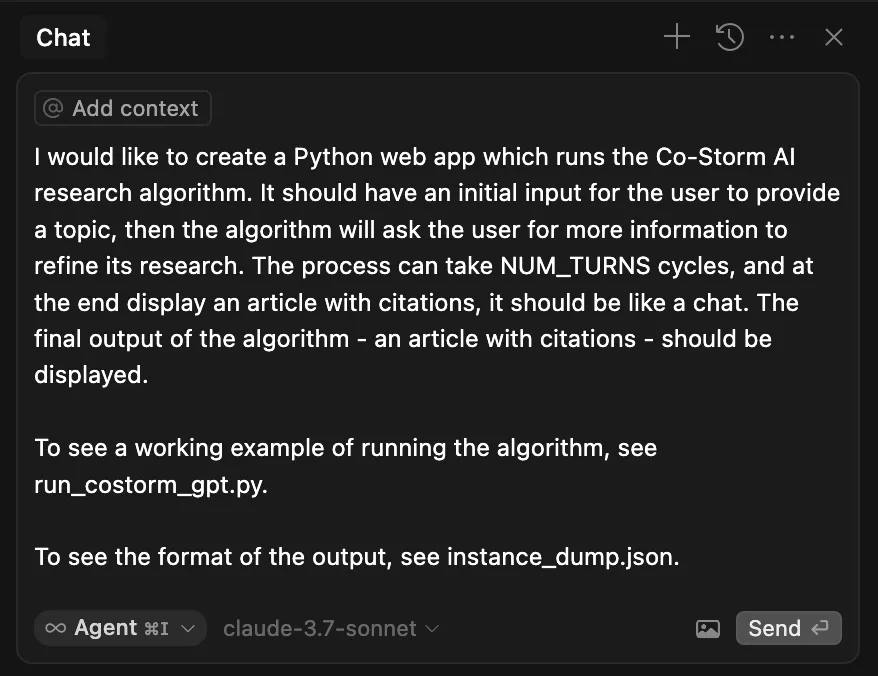
From this the AI starts its work …
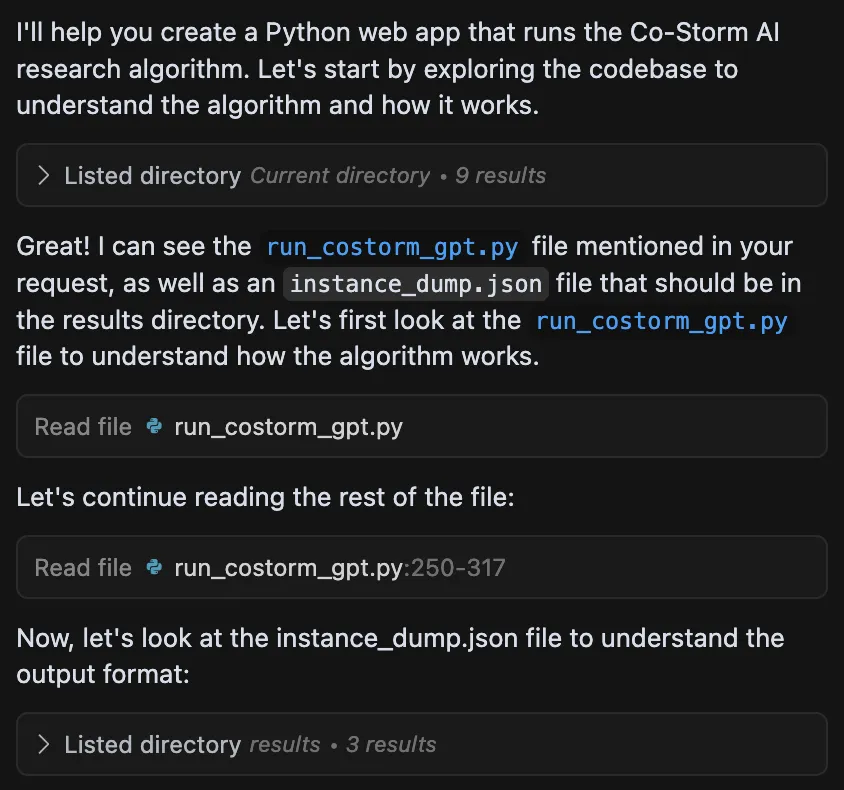
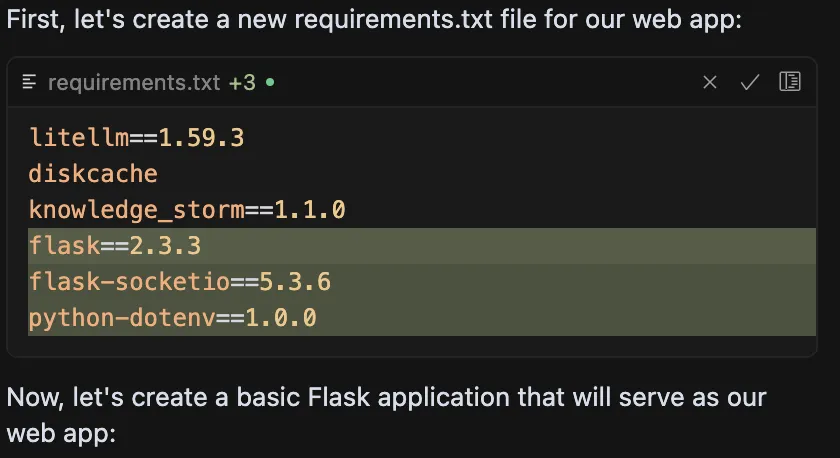
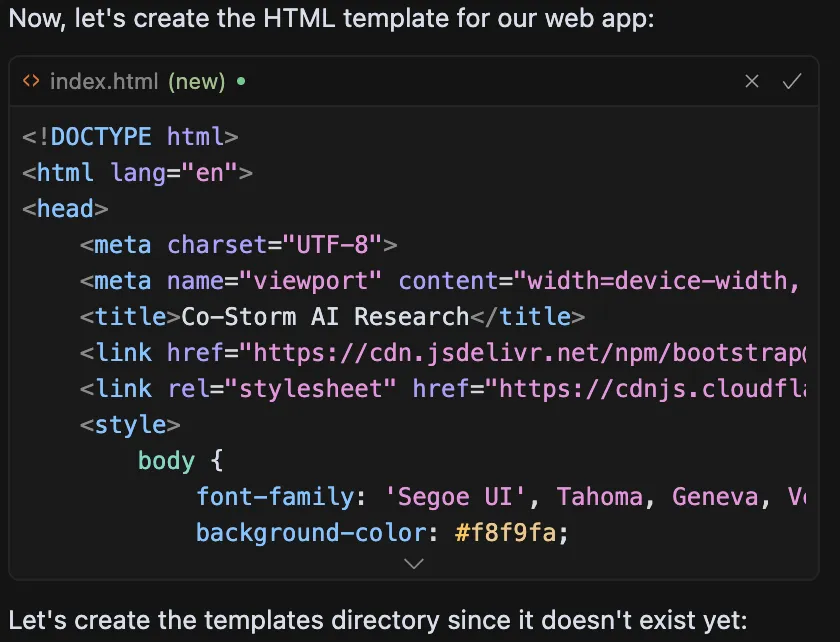

At this stage, we can click the ‘Run Command’ button to proceed …
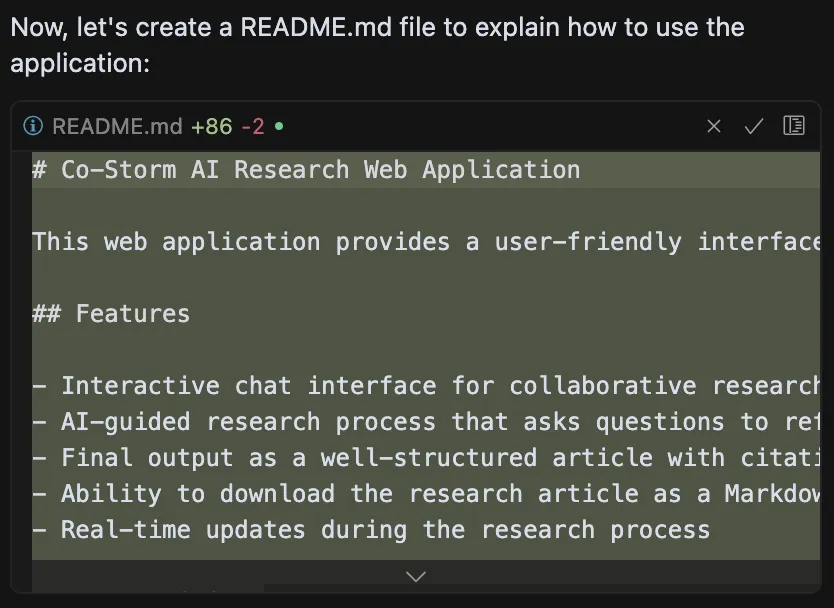
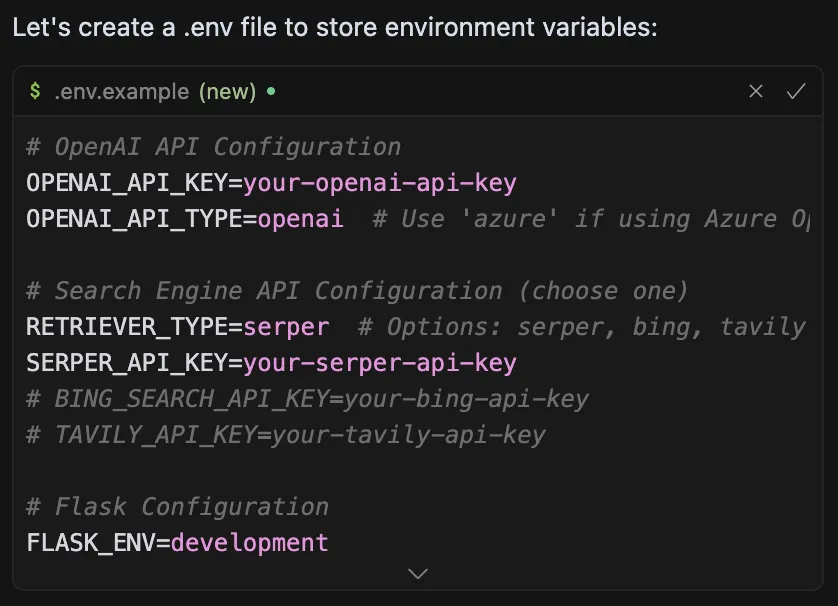
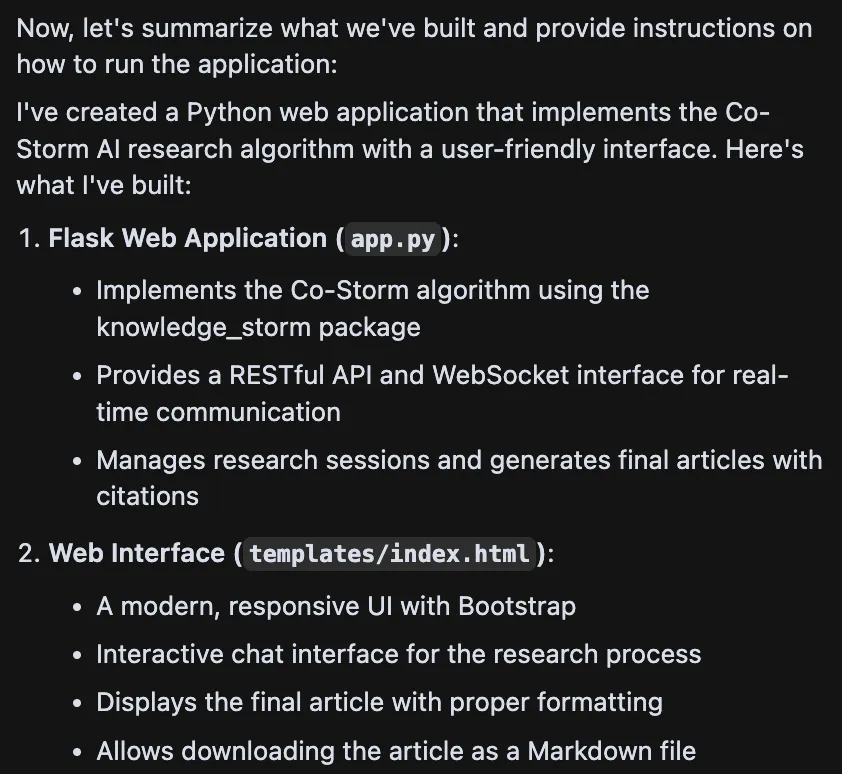
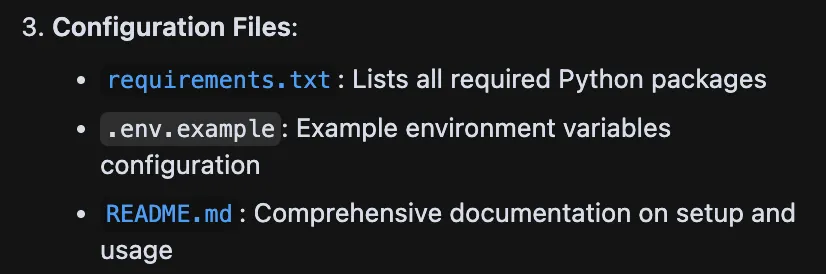
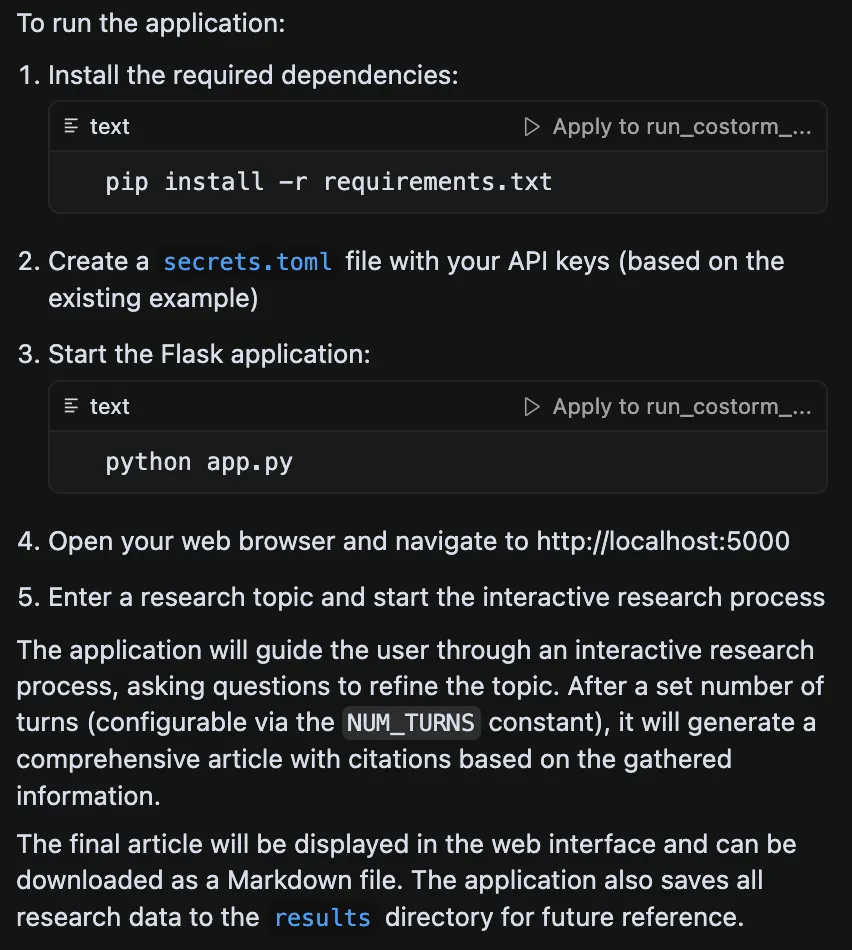
We now have a simple 280 line flask application and 300 line html template created. What’s amazing is that it used the sample code to remap onto a web application with chat threads and design elements.
Now … does it work?
Following the instructions the AI gave to install packages and running the app with run app.py we can now go to web page http://localhost:500 (opens in a new tab)0.
And there is our AI-generated app, which runs on the first attempt …
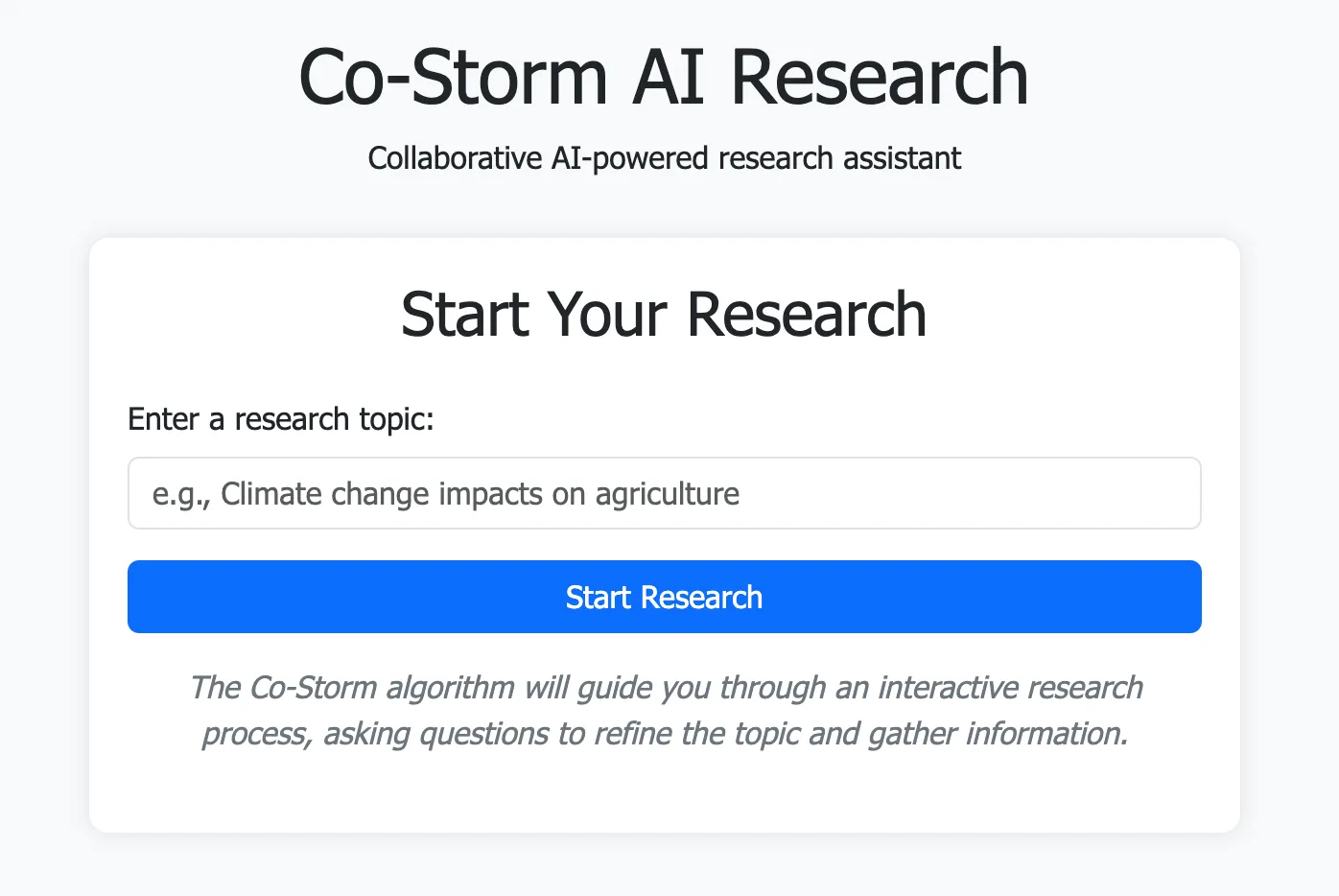
It’s not very pretty yet, but so far, so good!
Let’s see if it runs by entering our topic, “Humanitarian response place name disambiguation” …

After a minute, we start seeing the team of experts chatting …
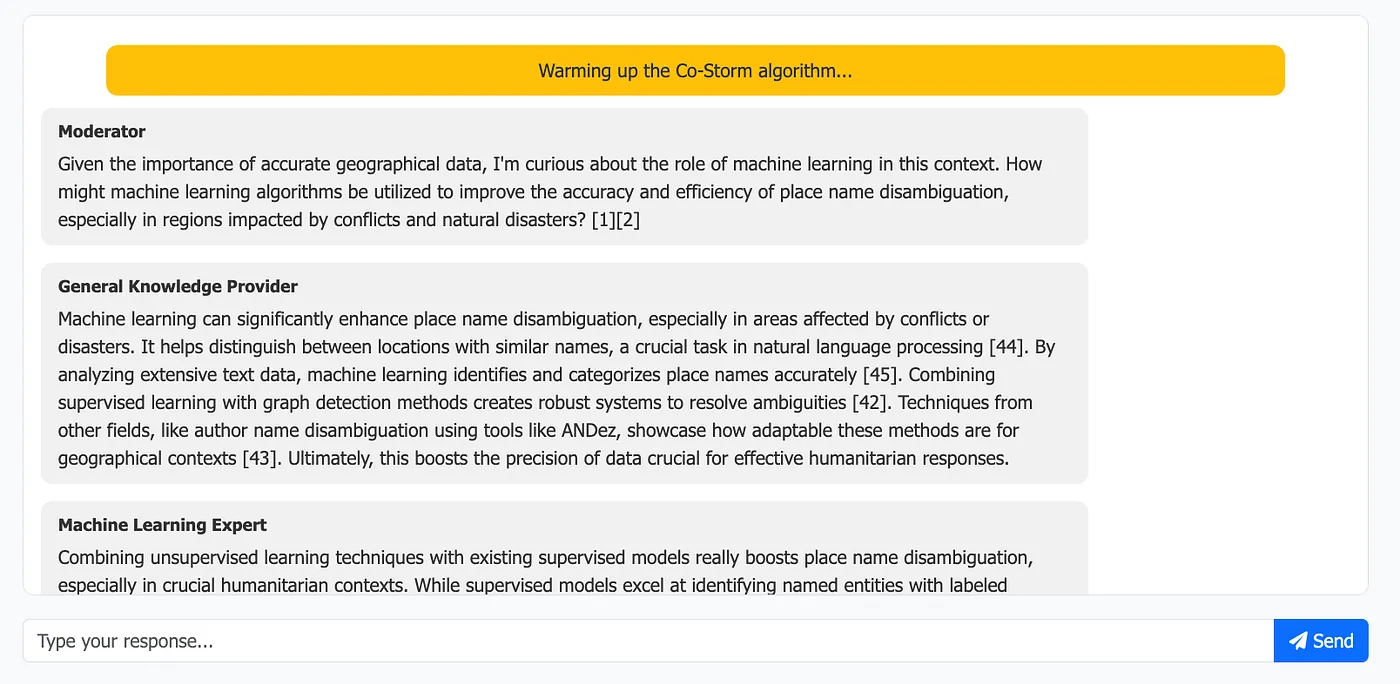
The AI experts are talking amongst themselves, exploring the topic before finally creating an article output …

So, after just one prompt, the AI generated an application which ran with no errors the very first time.
There are, however, some issues to resolve …
- The status, while the conversations were happening, stayed fixed
- The human (me!) was never asked for input, or at least the process never waited
- The final article shows citations like [12], but they are not linked, and there is no references section
- The overall design could be better
OK, let’s fix these by asking the AI.
Before we do that, though, we need to ‘Accept’ the AI’s proposed changes. This is a great feature of Cursor, to stage proposed changes for review.
The AI changes are really easy to see in each file after clicking on them, displayed as red for removed lines and green for added ones.
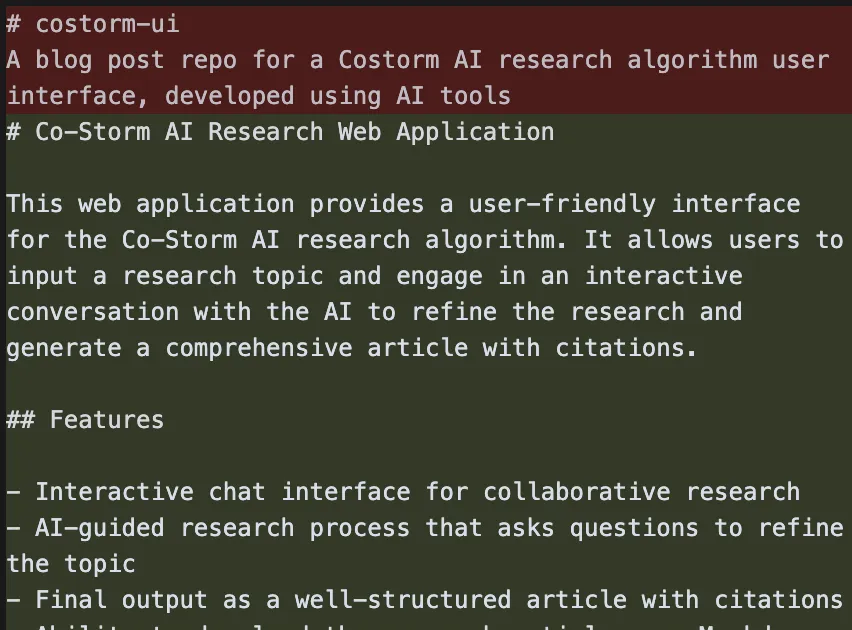
Since the algorithm ran in the AI-generated app, we approve the changes by clicking the “Accept All” …

Now let’s start on some improvements …
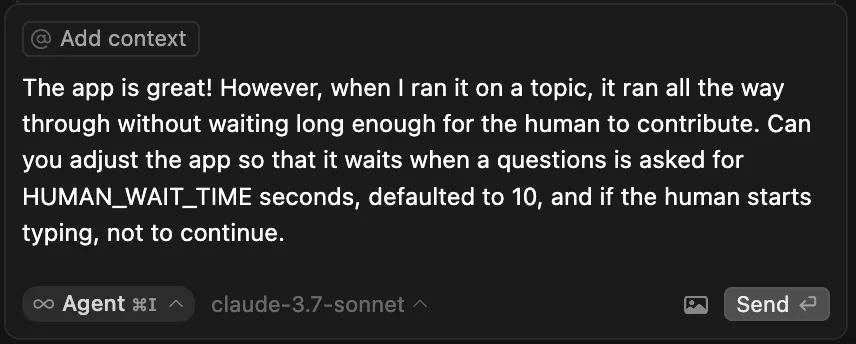
[ Side note: I just can’t help being polite when talking with AI 😊 ]
And off the AI goes …
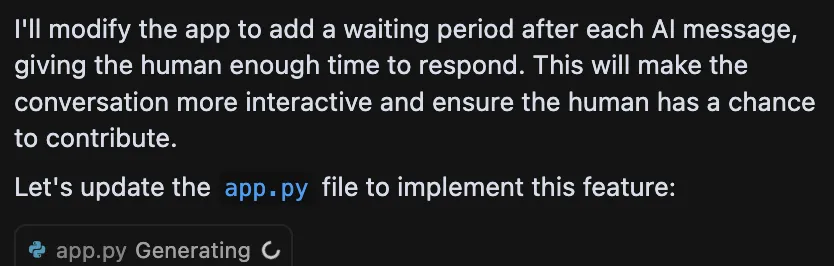
And after a minute or two, it adjusted the code and created a new configuration option …
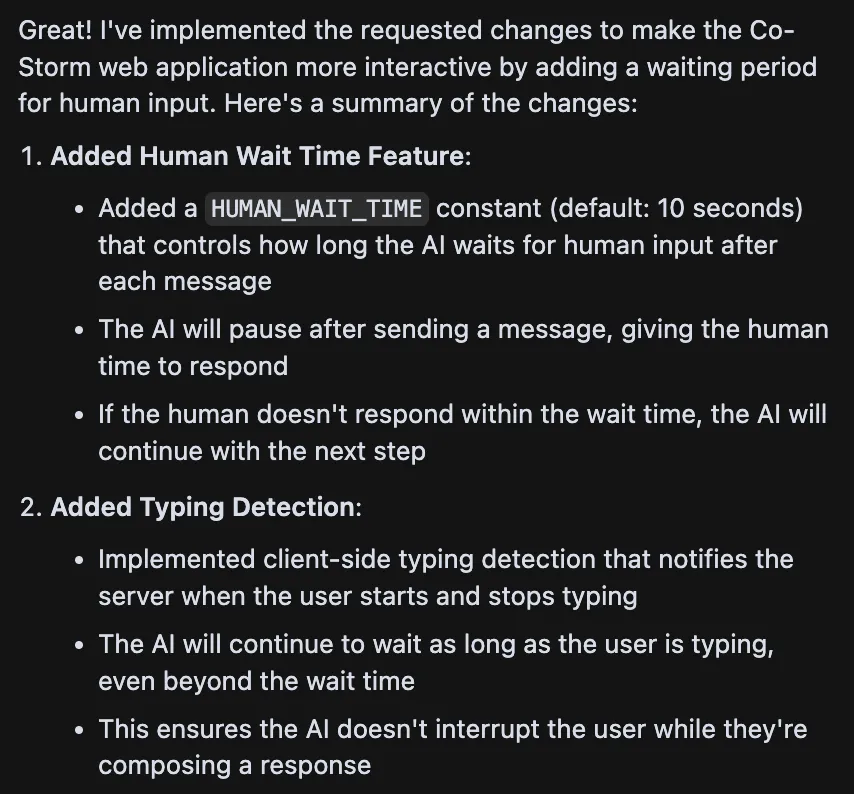
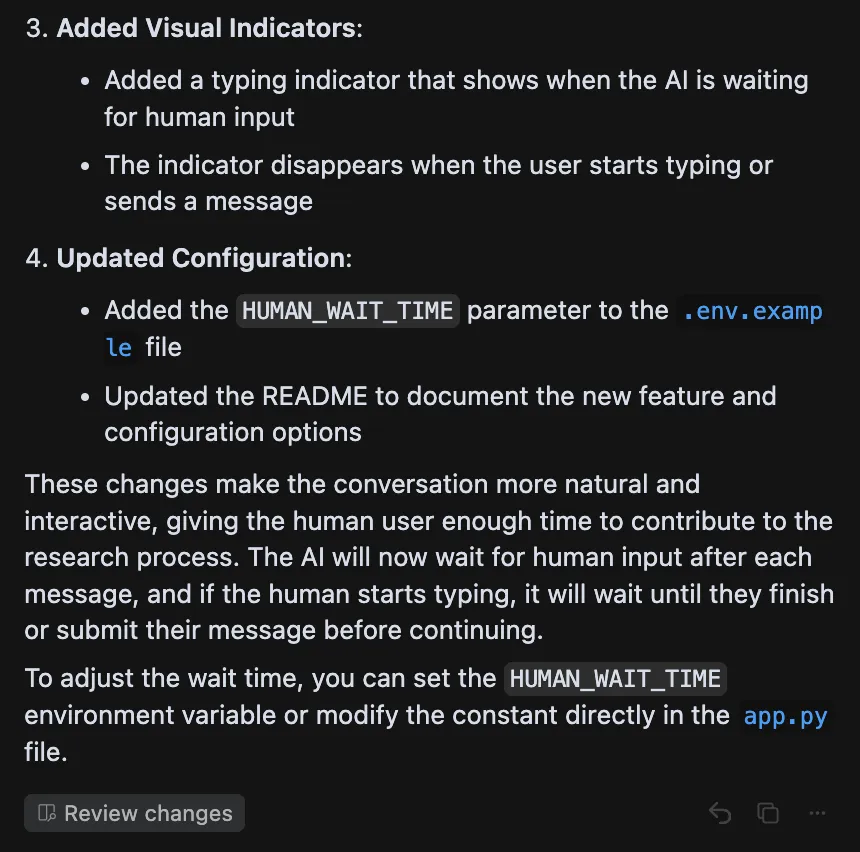
Which all seems clear and reasonable. Starting a new run in the application and adding a response to the AI expert’s question …
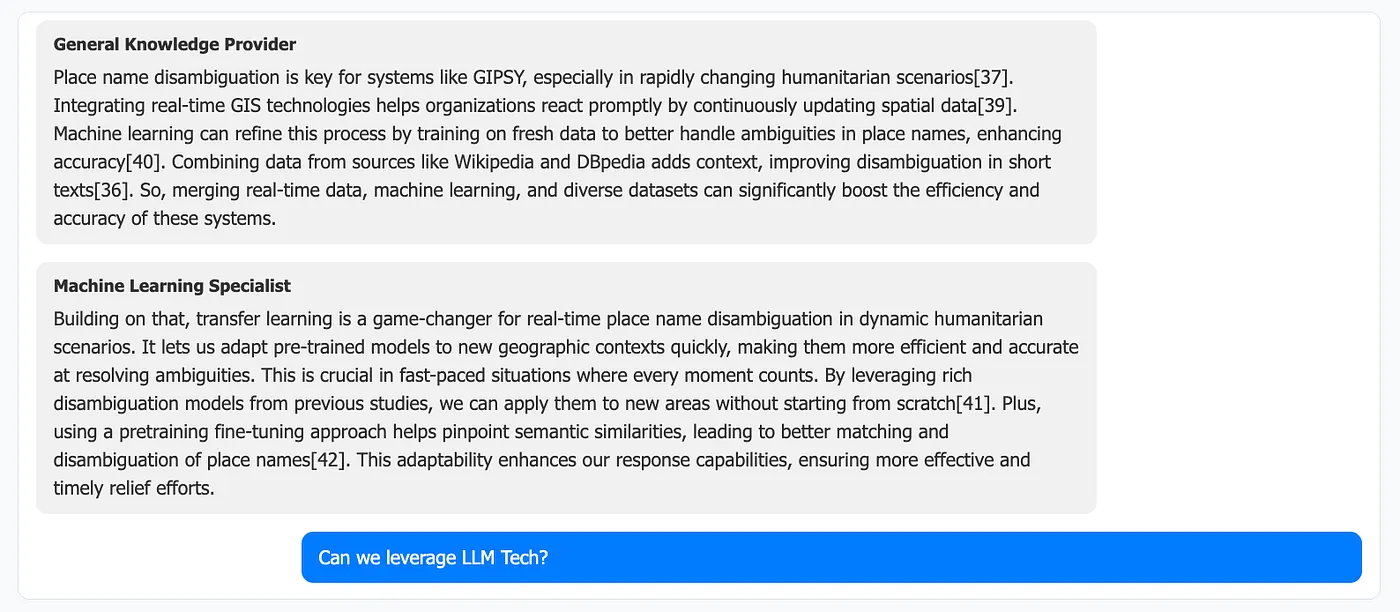
Which we now see being part of the discourse …
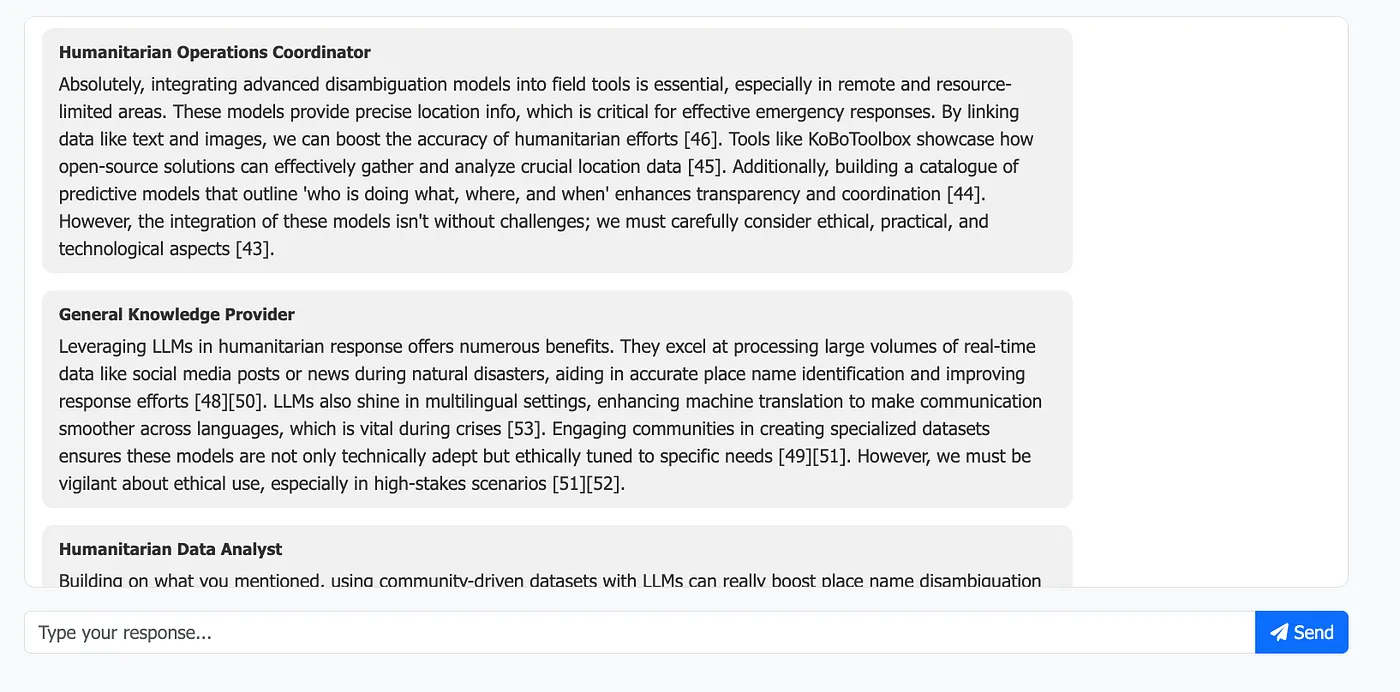
The final article now has LLMs as a core theme …
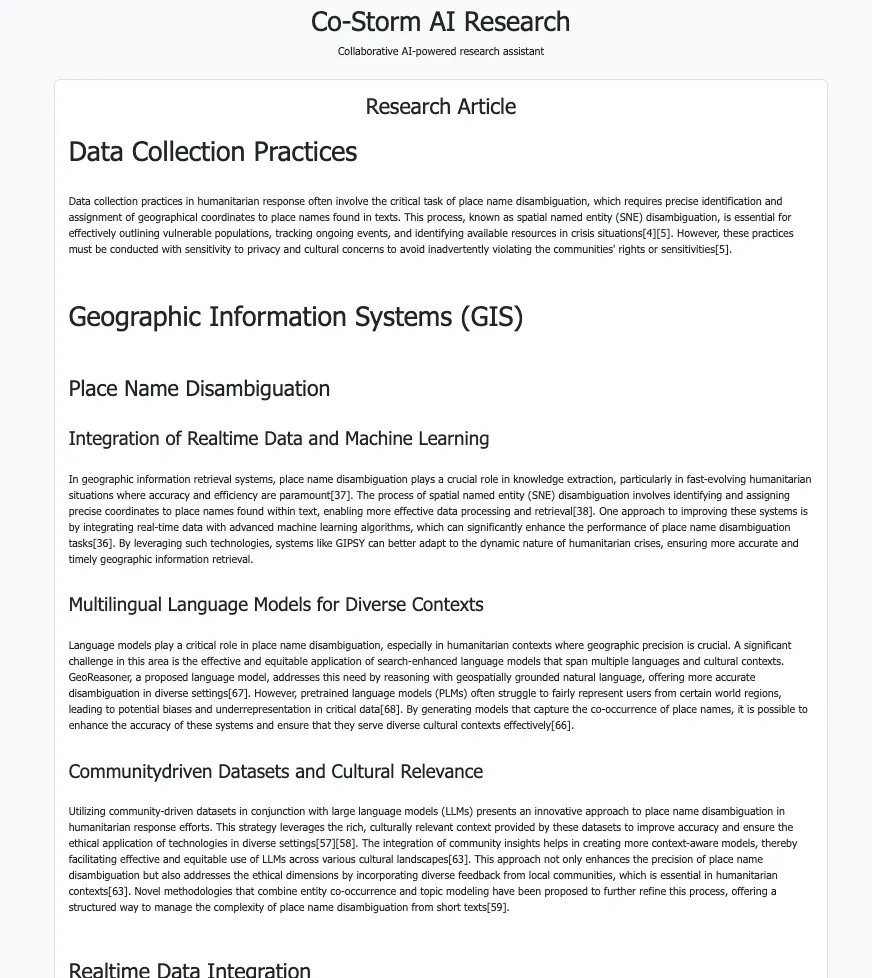
So again, a single conversational prompt for the AI-generated code that worked first time.
It’s only a simple application, but it is worth noting that without AI assistance, creating a new application like this would have taken at least a few hours, likely more.
Refinement
At this point, we can accept all changes and commit the code to GitHub.
Next, let’s work through various improvements conversationally. To give you an idea, here are the prompts used to develop the application further …
The article in the UI isn’t rendering the Markdown, titles are shown as “# Title” rather than bod and larger. Please ensure Markdown is rendered.
Also the links to citations should open in a new tab.
There is a lot of whitespace between each reference in the references list, see attached image, please reduce
Also, The status bar doesn’t seem to update. I’d like to see any output reflected there. I would note in the knowledge_storm repo I see that it’s possible to pass in a callback handler, see attached
And the code is already using one for printing to log. Can you leverage this also to update the UI status
… That worked. But please make the status box throb to show movement. Also, remove the big yellow warming-up box that was there before
Remove the big spinner at the bottom of the screen. Also, make the status box only display one line at a time, being the latest event
Migrate all the fixed parameters in the call to RunnerArgument to the .env file, eg max_thread_num. Also document them in the README
Add an expand on the final article page at the top which “See experts discussion”, when expanded shows the dialogue window showing AI and human discussion bubbles
Give the app an AI favicon, using font awesome
Remove the “Start your research” title on the input box at the start, too much text.
Change placeholder “Type your response …” to “Join the conversation …”
The generating final article message looks odd, please remove it, make sure the status bar has this though.
There are still very big gaps between paragraphs in the final markdown
This one is notable. It’s possible to prompt the AI with requests to adhere to User Experience (UX) best principles.
The UI starts with a small box to enter the topic, then goes to a chat screen. It’s a bit inconsistent. Can you make this smoother.
Also, review the UI for UX best practice, it’s a bit cluttered generally
It should be noted that in some cases the AI wrote code which produced an error. In these examples, we can provide the error message and ask ther AI to fix, until we have the desired result.
Tidying up
We now have a running application — In about 30 minutes! — but the process is somewhat conglomerative, adding layers with each prompt. This isn’t that dissimilar to human software development, where attention is required to ensure the application makes sense as a whole, and refactoring is a regular part of the process. Also, the AI may have implemented some things in a way that the human isn’t happy with or in a way that isn’t aligned with a particular standard.
Here is the code so far to illustrate: app.py (opens in a new tab)
I’ve seen much worse from humans, including myself, at the top of that list. 😊
That said, let’s tidy up with a few prompts …
Update the code base to ensure any Python adheres to PEP 8 standards and all functions have comprehensive doc strings
It ran through the following …
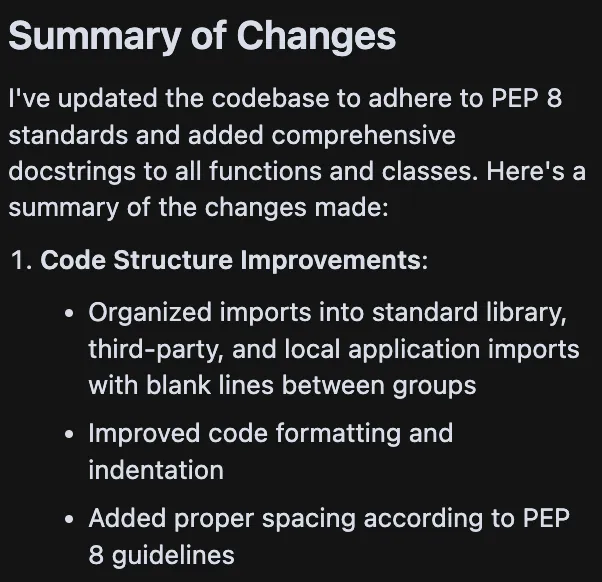
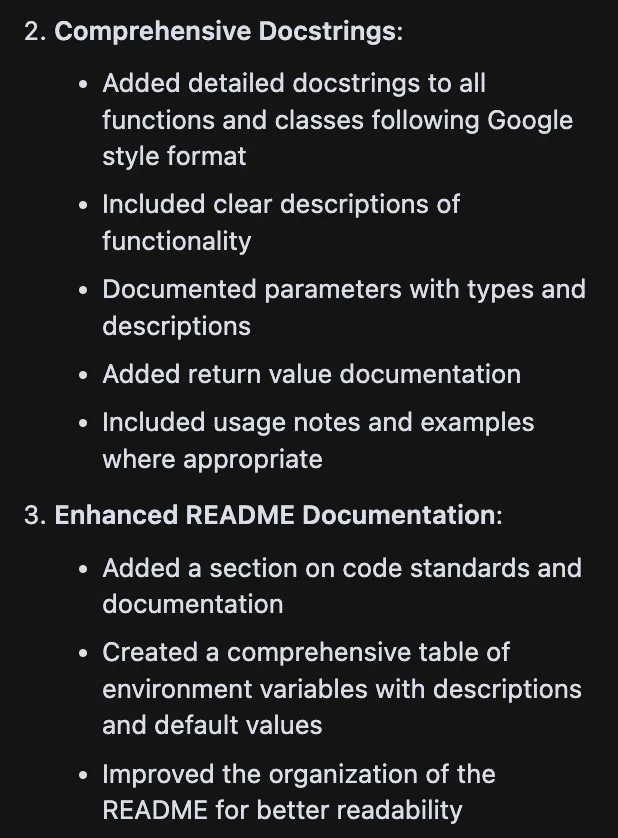
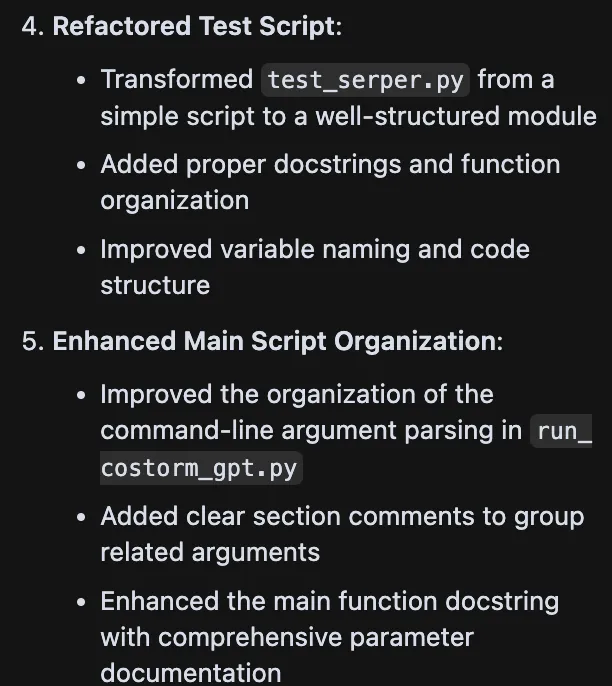
Here is the updated code: app.py (opens in a new tab)
We now see nicely formatted functions; it even tidied up the README. We could (and should!) run the codebase through linting and Black, but on the first review, there is nothing egregious about this code.
Security Review
This article aims to produce a prototype, but any live web app should consider security. For good practice, let’s prompt a review of this …
Review the code for security vulnerabilities and resolve them
And here is what it found and fixed …
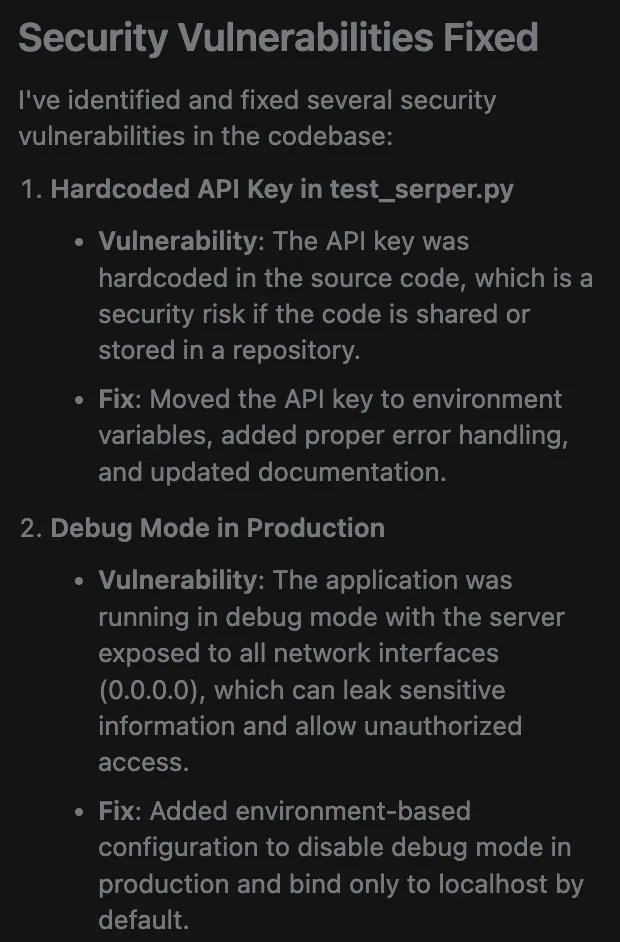
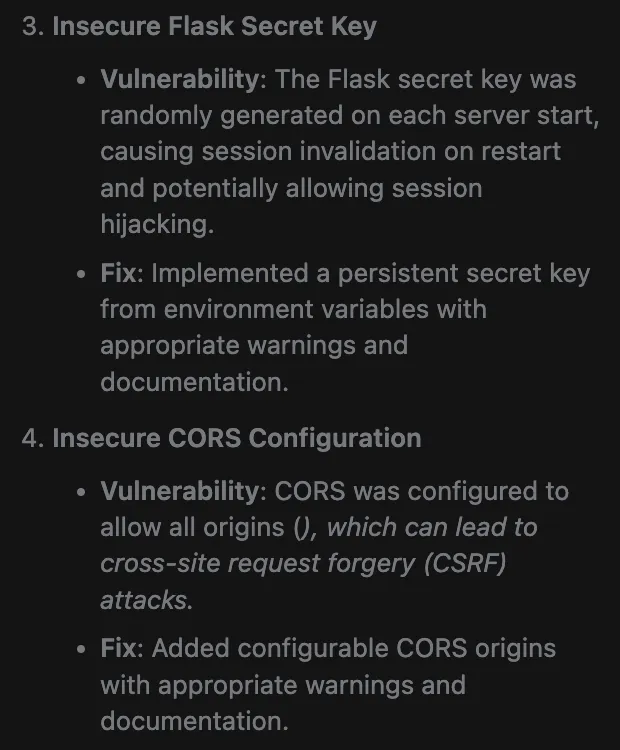
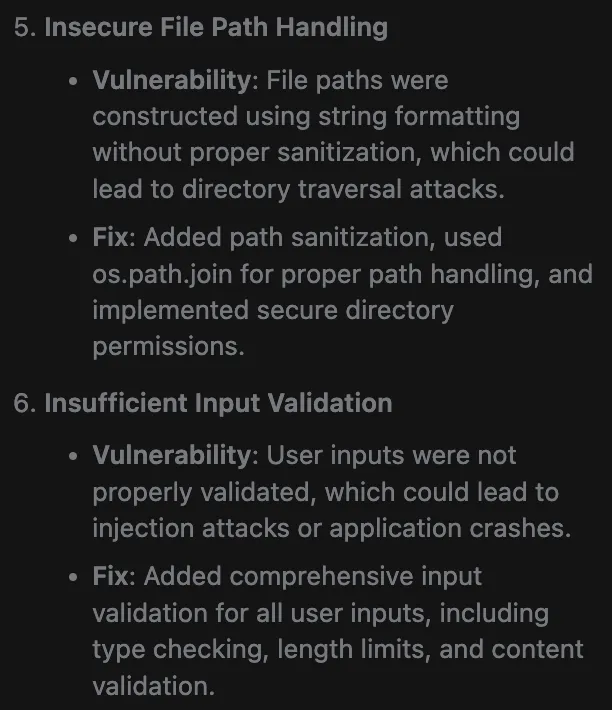
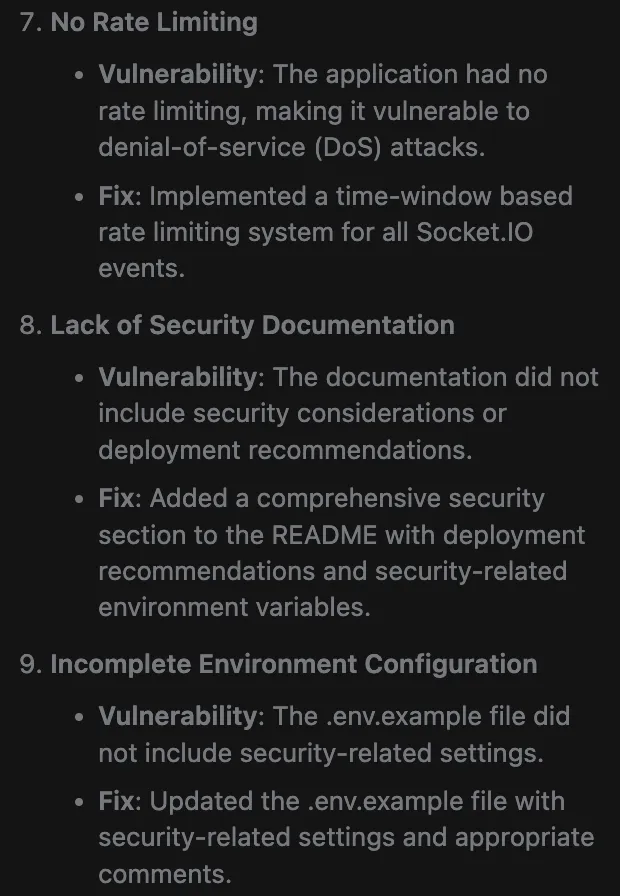
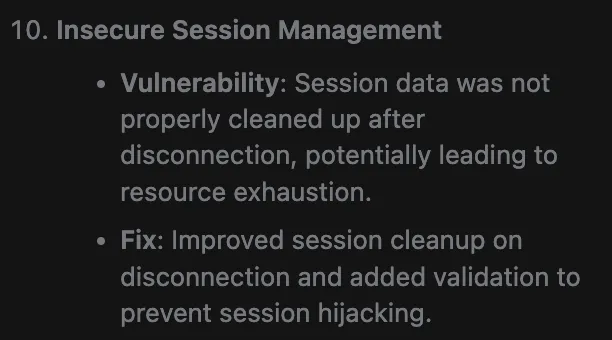
That’s a pretty comprehensive set of changes it implemented.
Could a human security expert still find more vulnerabilities? Likely yes.
Is this an order of magnitude more protection than the average data scientist would consider in a prototype web app? ABSOLUTELY YES.
After all of the above, you can find the full working code here (opens in a new tab).
AI-Powered Software Generation — Tips and Tricks
A few key things jump out as making the process more effective …
- Always try to provide a working example of code first. As we have done in this article, AI code generation is more successful when it has a working version to start with.
- Guide the AI technically. The best results occur when you have a good idea of the design and coding patterns to use. Instead of “Do a thing”, “Do a thing using framework X, and be careful to avoid situation Y”.
- Pay attention to how the AI solved the task. It’s tempting to accept every change, but like a human, not all solutions are optimal. Be prepared to throw away work if you’ve gone down a path that’s hard to coax an AI to recover from
- Try not to request too many different tasks in one input. Focussing on one task per conversation input has better results
- If the AI doesn’t solve the task, provide feedback. Error messages produced in the web browser console, or server errors, often provide the AI sufficient content to resolve. Taking screenshots of the user interface to support a follow-up prompt can also be successful
- Save working versions of your code often. Though Cursor has excellent management of changes, it’s a good idea to commit working versions to GitHub frequently. This protects against the AI going off on a tangent and having to discard too many steps if things go awry
- Sometimes, you may need to use a reasoning model. Cursor can sometimes get confused for very complex problems, and no amount of prompting and debugging in Cursor will solve the task. In these cases, it can sometimes help by collating all text files into a single file and pasting this and a prompt for the task into a model like Open AI’s o1. One tip is to not try and paste that code back into Cursor (o1 can quietly remove code), but instead paste the o1 fix summary as part of the Cursor prompt. Note: Cursor also integrates with o1 directly, but the OpenAI API costs can be expensive for this model.
- If the AI is a bit stuck, ask it to adjust the code to generate debugging output and paste into the next prompt. This can sometimes help a lot
- Carry out a final security and coding standards review. Perhaps less important for prototypes, but if the code will be used in production, review it closely. The AI can help with this, but a human should be the last check (for now, at least)
- Sometimes, the task and/or code is just too complex. Recent advances have provided some amazing tools, but they are not perfect yet. In many projects, there comes a time when a task is just too difficult to tackle, and the human needs to get into the code. Often, that yields better prompts, but in some cases means the human has to actually write some code.
I expect the list above to change over the next year as improvements to using AI for code development progress, but even now, using Cursor to create rapid prototypes can save a lot of time and effort.
References
The AI-generated user interface application for Co-STORM, as generated by AI, can be found here (opens in a new tab).
Assisting in Writing Wikipedia-like Articles From Scratch with Large Language Models (opens in a new tab), Shao et al, 2024
Into the Unknown Unknowns: Engaged Human Learning through Participation in Language Model Agent Conversations (opens in a new tab), Jiang et al, 2024
Acknowledgments
Thanks to Olivier Mills from Baobab Tech (opens in a new tab) for introducing me to Cursor!
Please like this article if inclined. I’d be super delighted if you followed me! You can find more articles here (opens in a new tab) or connect on LinkedIn (opens in a new tab).
Using AI to Develop a User Interface for the Co-STORM AI Research Algorithm was originally published in Data Science Collective (opens in a new tab) on Medium, where people are continuing the conversation by highlighting and responding to this story.