Verifying Facts in Research Papers: Developing the Athetize Fact Checker Claude Plugin
Using AI to make checking for AI mistakes easier
TL;DR
This is a quick article covering a little Claude plugin I created, Athetize Fact Checker, which checks whether the sources a paper cites actually support what the paper says. It finds each cited claim, gets the source, compares the two, and overlays the result in the paper text for easier reference, with the evidence quoted. It also suggests fixes, which you can download as tracked changes in Word. Many other great tools cover some or most of these features, but I couldn’t find any that did everything I needed. Athetize Fact Checker is free and open source, find it on GitHub.
Why Build Another AI Fact Checker?
I review academic papers from time to time, and a key part of this is checking facts referenced in other papers. This is especially important in these times of AI where more and more researchers are using AI tools as part of the research and writing process, along with the mistakes they can make …
- GPTZero found more than 100 hallucinated citations in papers accepted at NeurIPS 2025, one of the top AI conferences, which had got past the reviewers.
- Deloitte refunded part of an AU$440,000 Australian government contract after its report was found to have fake references and a made-up quote from a court judgment.
To give an idea of the process, here is what validation looks like …
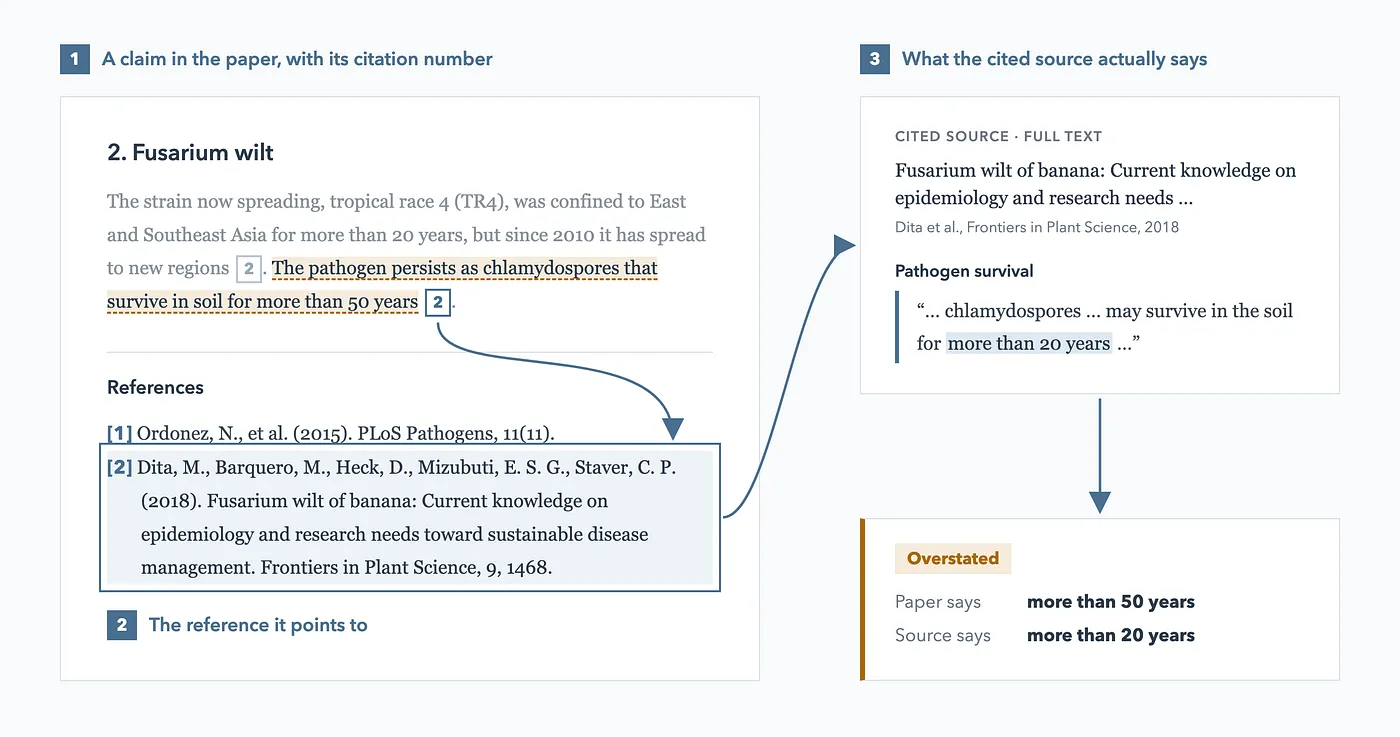
There are variations on this, such as checking that reference details like the year, title and DOI are exactly right, but you get the idea.
Checking one or two is fine, but many papers have tens or even hundreds of references. Human eyes are always needed on the source content, but making the process more streamlined for getting there is hugely important in saving time and avoiding errors.
Existing Tools
A quick web search shows there are some really good tools that can help verify factual claims and their references …
- SciSpace Citation Verifier checks that references exist and flags retractions. In its full mode it checks each claim against the cited source, giving a verdict, the evidence and a recommended next step. SciSpace also has a Claude connector, for searching papers.
- CiteDash Fact Checker checks every cited sentence against the full text of the paper it cites, and re-checks references for retractions.
- Manusights Citation Claim Checker is free, and checks one claim against one cited paper at a time, quoting the passage it found and offering an optional rewrite.
- scite Reference Check takes a manuscript PDF and shows how each reference has been cited by other papers, and whether any have been retracted. scite also has a Claude connector, for searching the literature.
- Draft Detective, funded by RAND, is a plugin for Claude and Codex with a long list of review checks. One checks each cited claim against the full text of its source, as supported, partly supported, unsupported or unverifiable, and suggests a fix. Its web app, which you run yourself, pins the findings to the lines of the paper and exports them to Word as comments.
- verify-claims, a skill in a popular Claude Code workflow template, checks the claims in a draft against the sources you give it, and reports which are supported, contradicted or unverifiable.
- The fact-check skill in claude-academic-research checks citations against the papers in your Zotero library, reading the abstract first and the full text when needed, and writes a Markdown report.
- citecheck, a Claude skill, confirms that references exist and scores their relevance using the cited papers’ abstracts.
These are just a few — and great! — examples.
But on trying them out, I couldn’t seem to find one that did everything I wanted …
- Web links to the references to read the source paper
- Text excerpts from the reference documents to show why a claim is supported
- Results displayed with the text they relate to so it’s easier to see what’s what, in Claude
- Web search for reference full texts and ability to provide my own folder of papers I have legally downloaded (for those behind paywalls)
- Ability to export to a Word document, with track changes to show suggested changes and comments providing reasoning
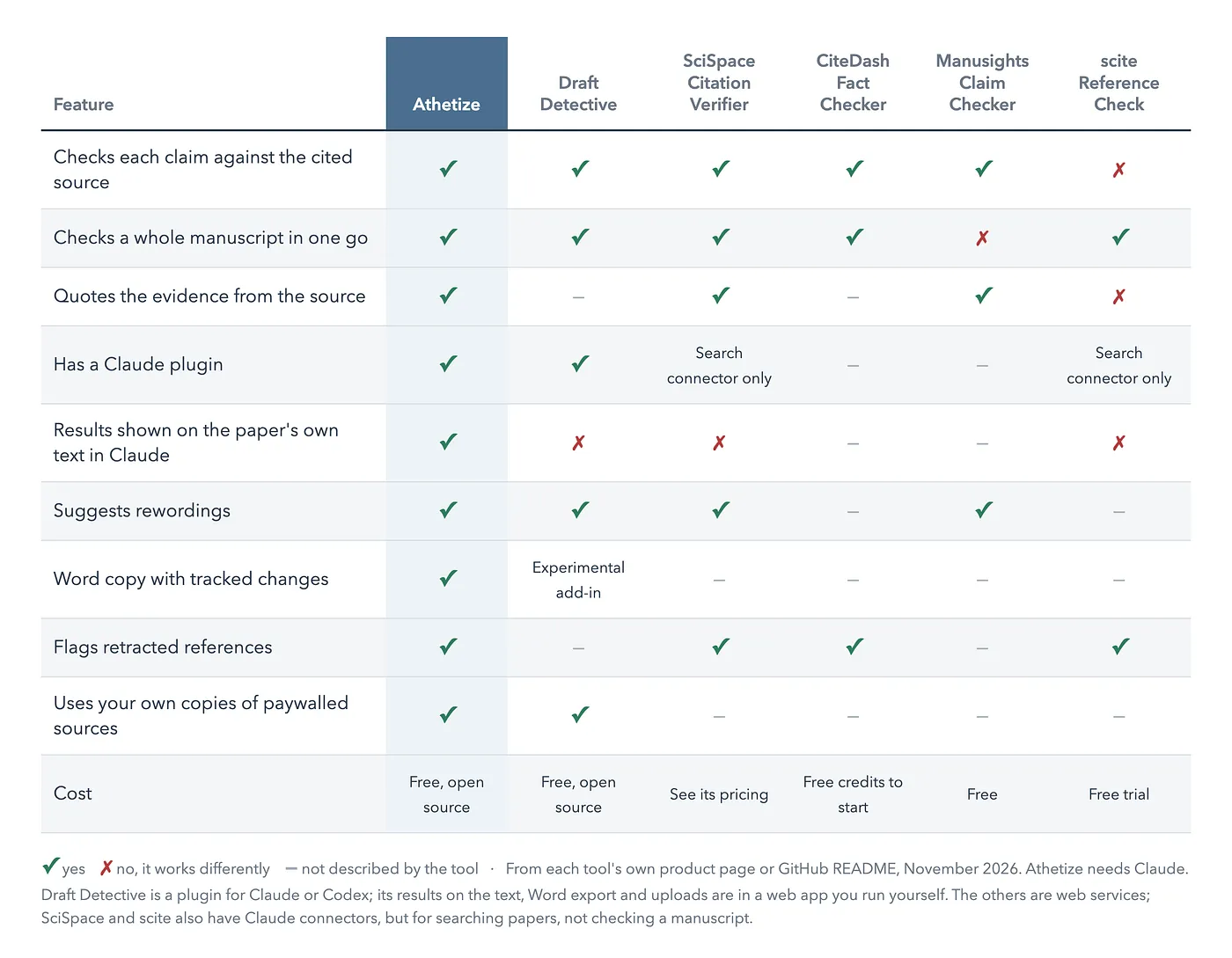
Many were very close — I am a huge fan of Draft Detective, an amazing project. Not only a great Claude plugin, but an MCP server and web app too! — but none quite ticked every box, so I decided to roll my sleeves up and develop one with Claude Code myself which I called Athetize (meaning: to reject or mark a passage of text as spurious, fake, or not genuine).
How It Works
Athetize runs inside Claude Code and the Claude desktop app. After installing the plugin (see below), you can give Claude a document (Word, PDF, Markdown, or plain text) and ask something like …
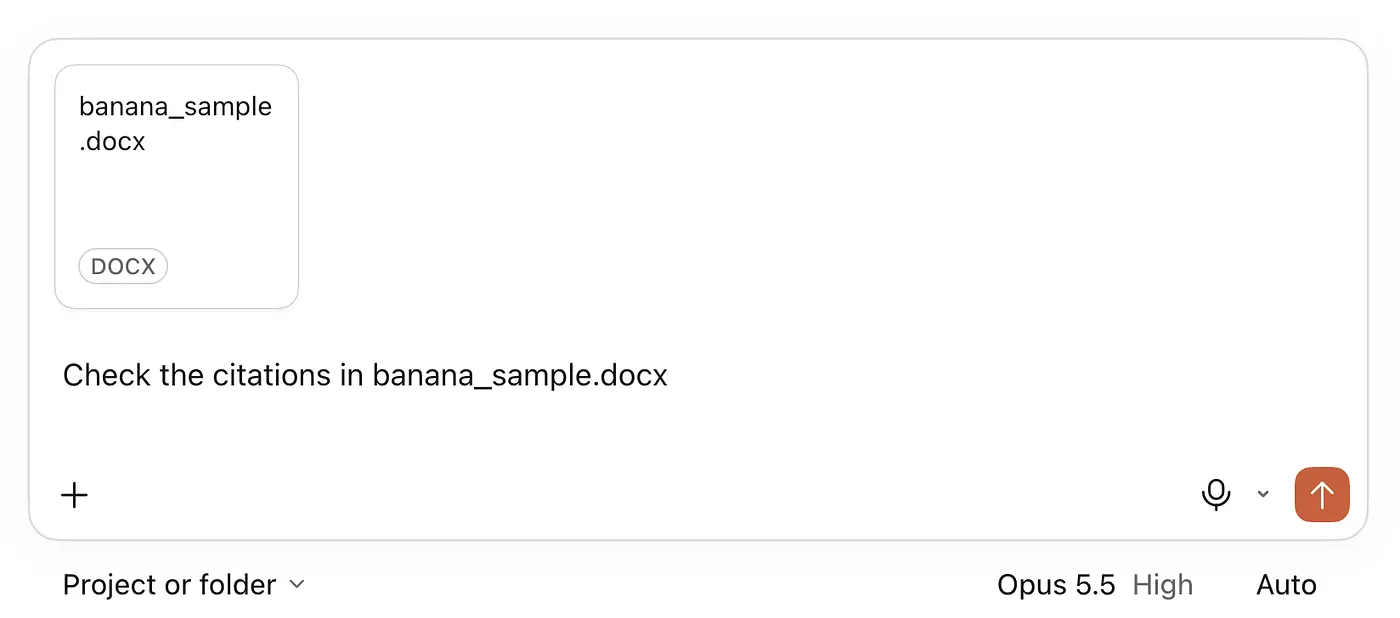
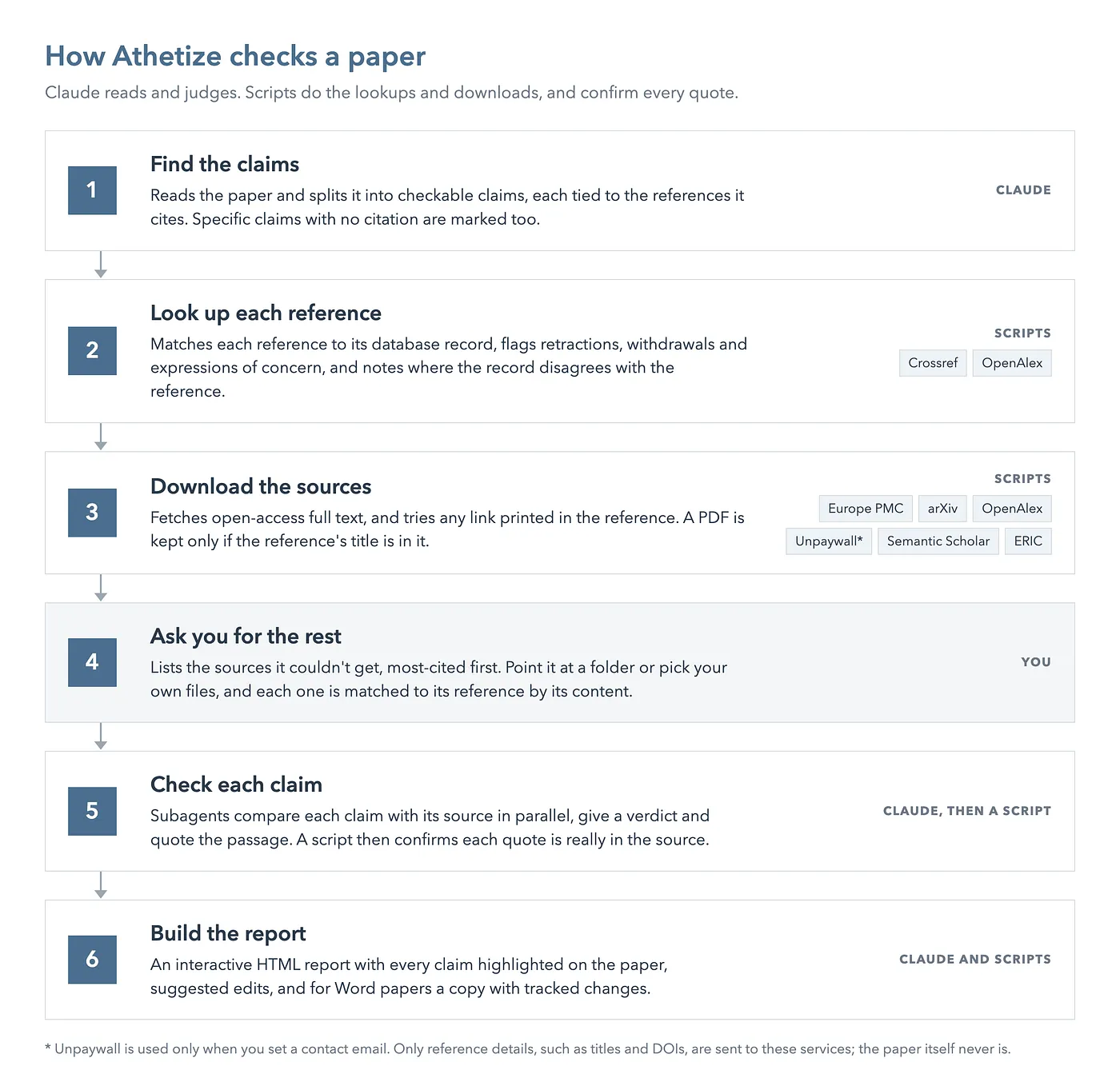
Under the hood, it does the following …
The Report
The main output is a single HTML file: your paper, with its figures and tables, and every cited claim highlighted by its result …
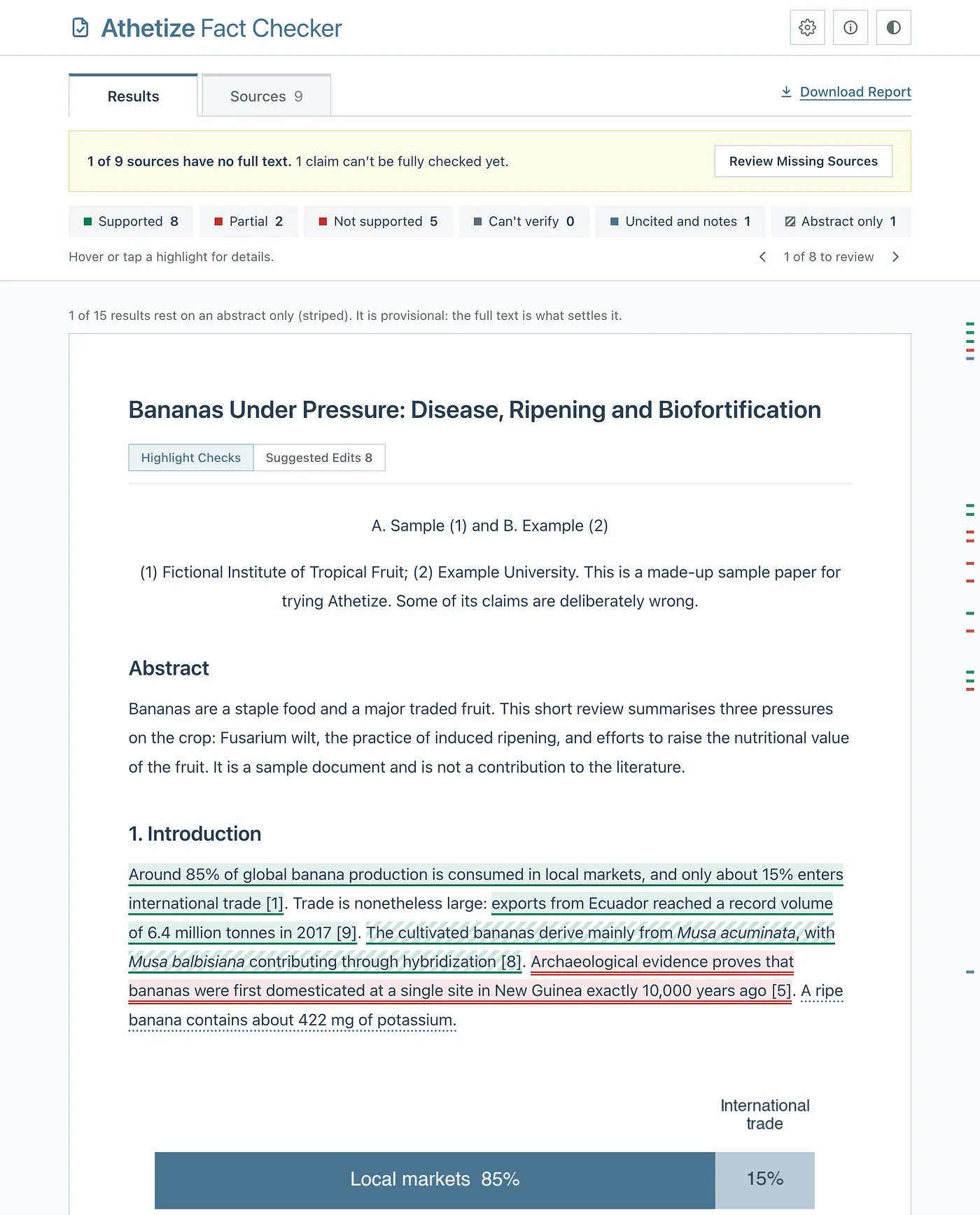
Green is supported, amber partial and red not supported. A striped highlight means the result rests on an abstract only, so is provisional, and a dotted underline marks a specific claim with no citation at all.
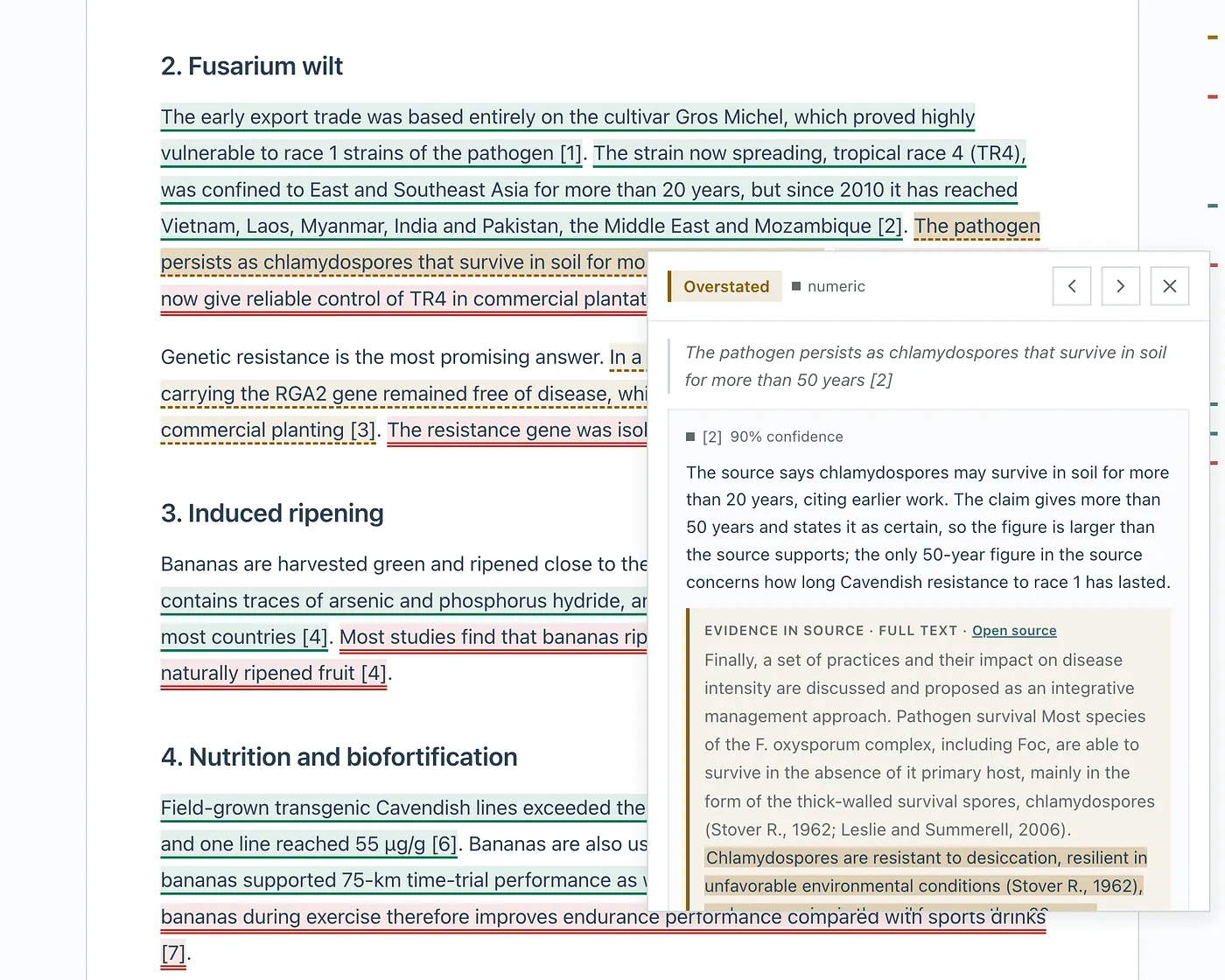
Clicking a factual claim opens a card with the analysis, the passage quoted from the source, and a link to open the source itself …
Suggested Edits
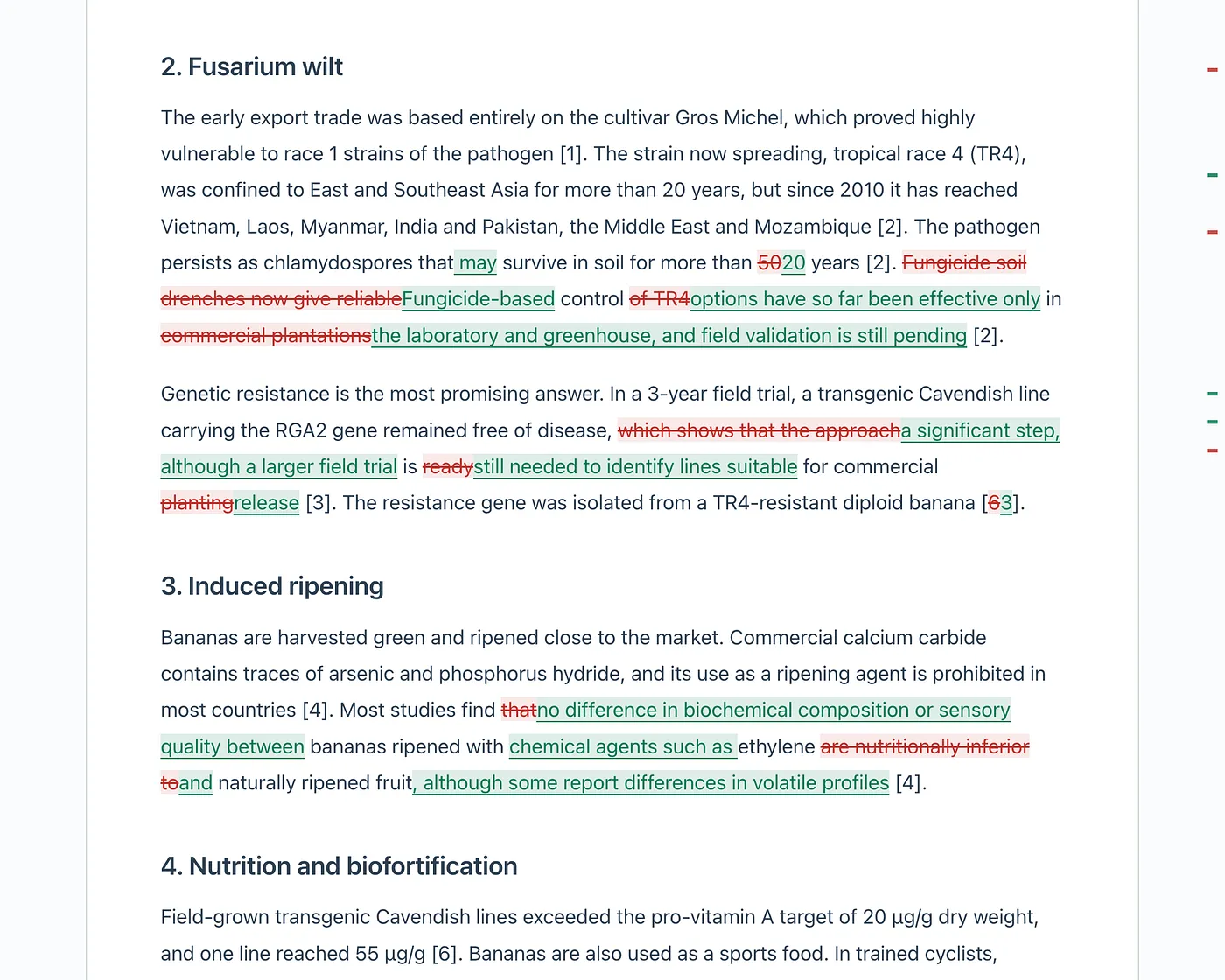
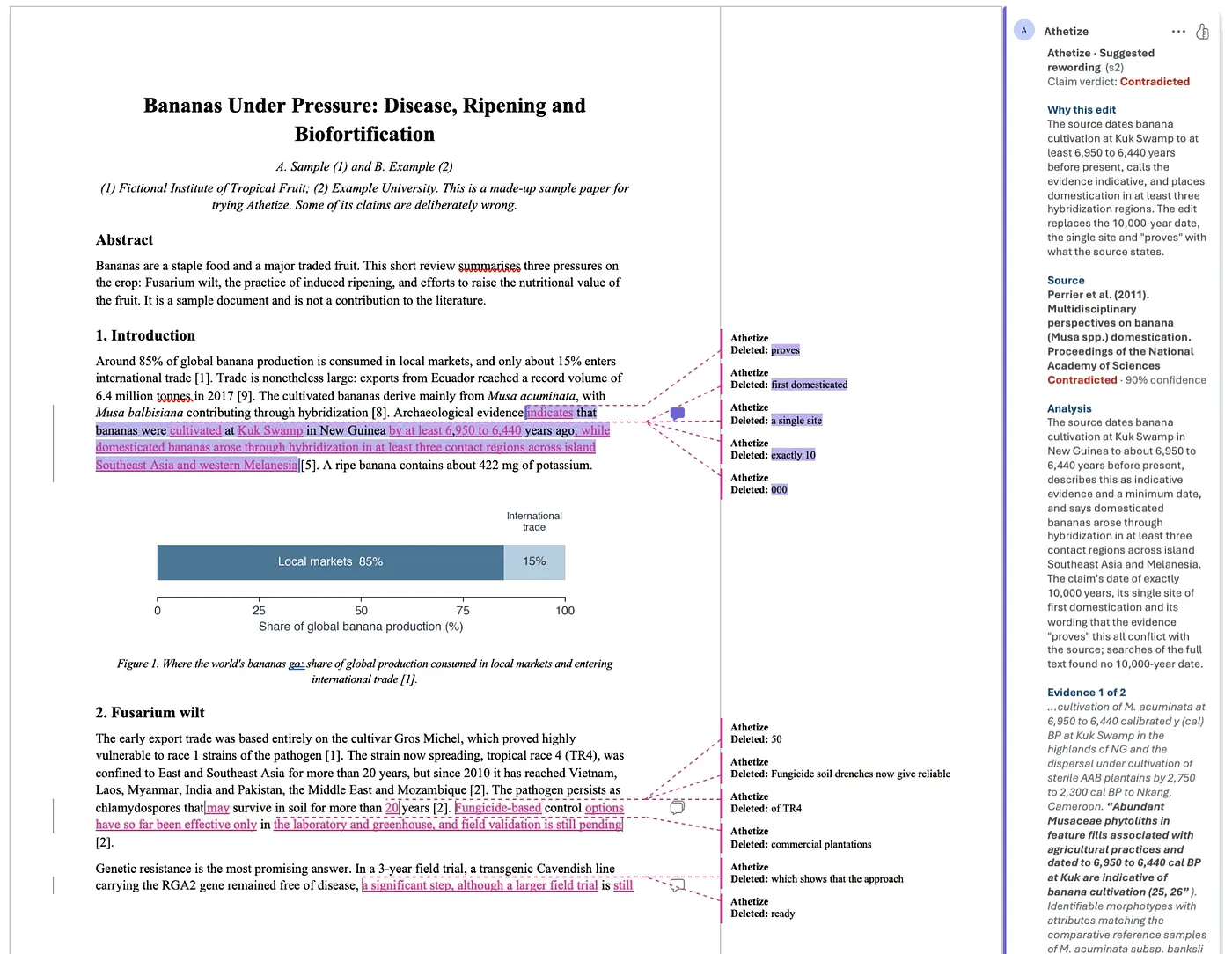
Athetize can also use AI to suggest rewordings that stay within what the evidence supports, as well as fixes to the reference list. Switching to Suggested Edits shows them in the paper as tracked changes …
Sources
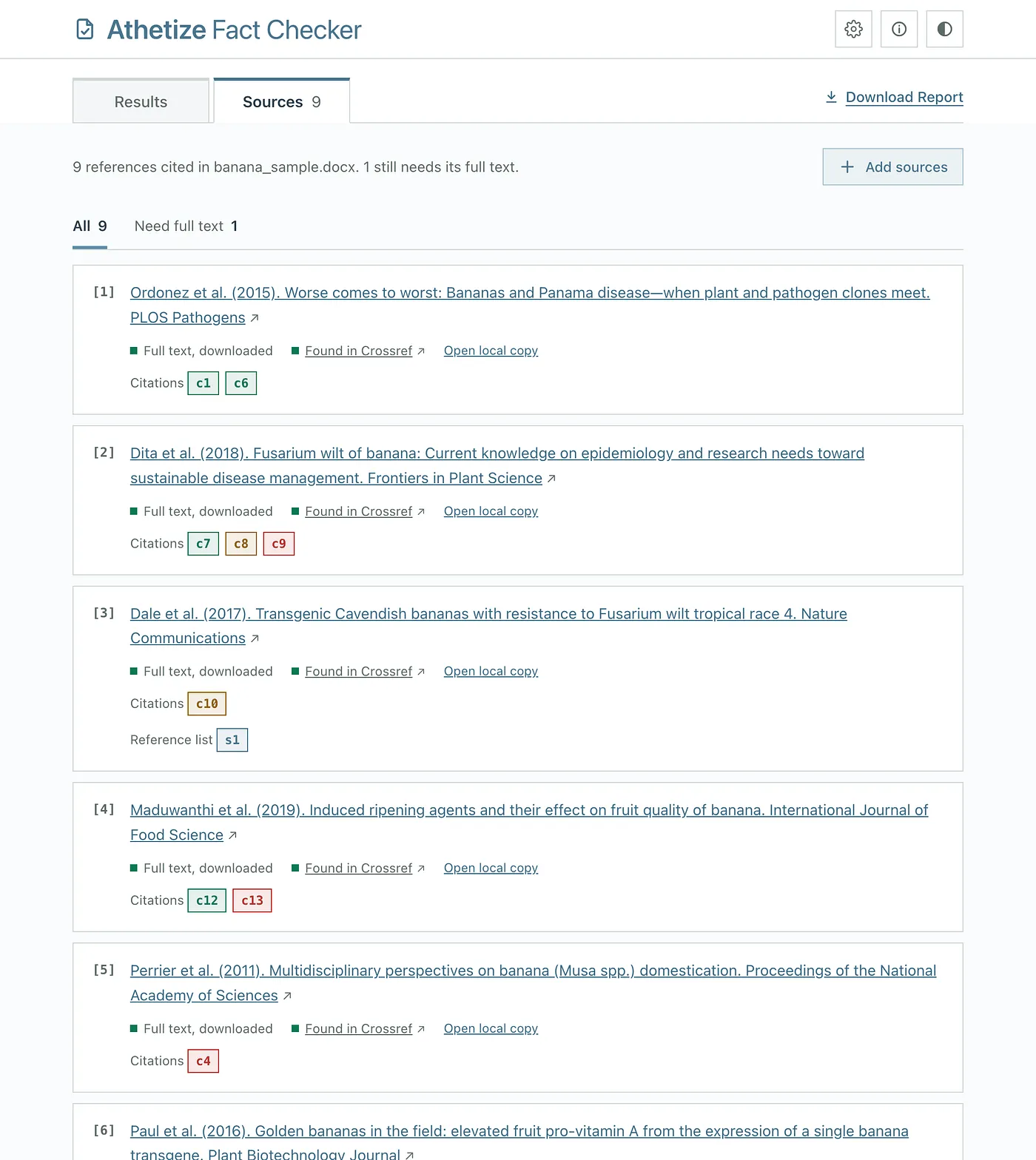
Many papers aren’t open access and exist behind paywalls. The Sources tab shows where each source’s text came from and which claims cite it, and lets you add the missing ones from your own files on your computer …
The Word Copy
For Word manuscripts, you can also get a copy of the paper with each suggested edit as a tracked change, and a comment explaining why …
Installing
In Claude Code, it’s one command …
/plugin install athetize --marketplace dividor/athetize-plugin-claudeIn the Claude desktop app, no terminal is needed. Download athetize.zip, then go to Customize > Plugins > Add > Upload plugin and pick it. To get updates automatically, choose Add marketplace instead and enter dividor/athetize-plugin-claude.
Then just ask Claude to check a paper.
Is It Perfect? Nope
Far from it. This is just a simple plugin, so there are a few caveats …
- The checking is done by AI, and it can be wrong. Ironic really! It’s a screening aid, not a referee, so always read the quoted evidence before changing your paper.
- It’s only as good as the sources it can read. Many papers aren’t open access, and Athetize won’t try to get around paywalls, so you may need to add some PDFs yourself.
- A result that rests on an abstract alone is provisional. The full text is what settles it.
But even so, it saves a lot of time for me. Even having links to the reference papers in situ has proved very useful. It’s all about the workflow.
If you give it a try, I’d love to hear how it goes, and issues and ideas are very welcome on GitHub.
Please follow me on Medium or LinkedIn for more noodling about with AI. 🙂